For IT service companies that support other businesses
Know what is happening on your clients' computers before they call you.
Monitoring for Windows and Linux PCs and servers, alerts on your phone, real-time actions, support tickets and a monthly report for every client — all under your company's brand. At a price that lets you include it in every support contract and keep most of the margin.
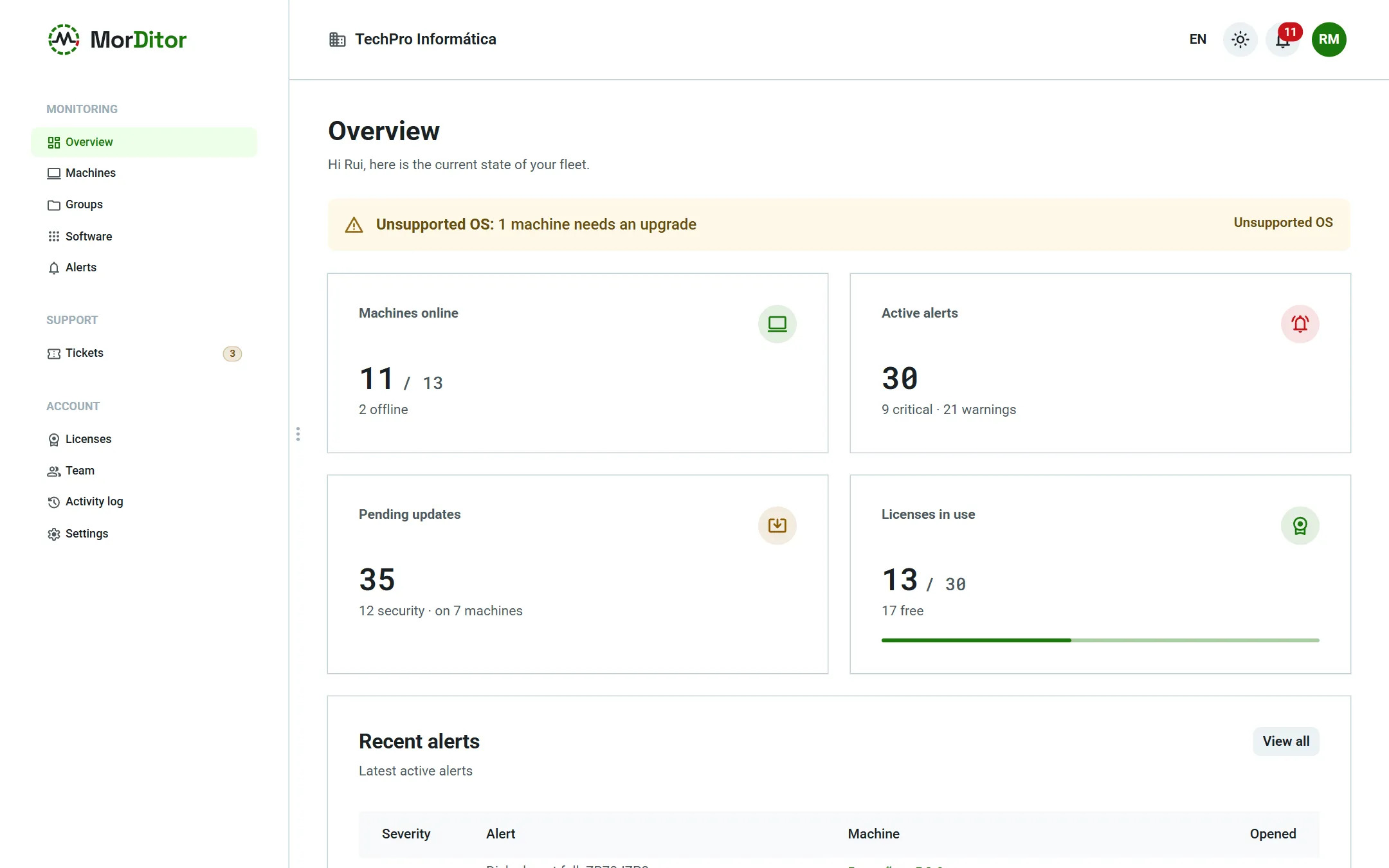
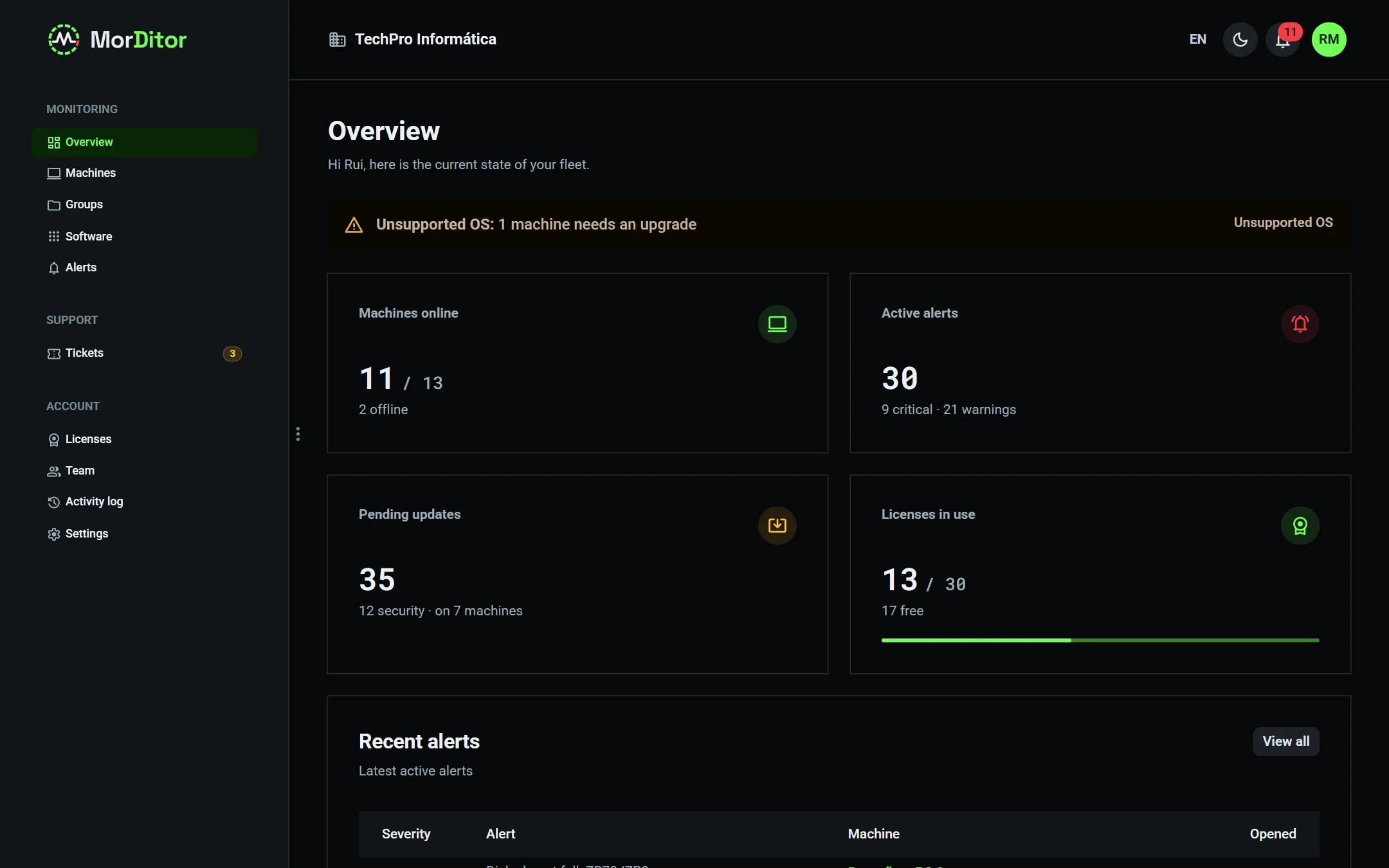
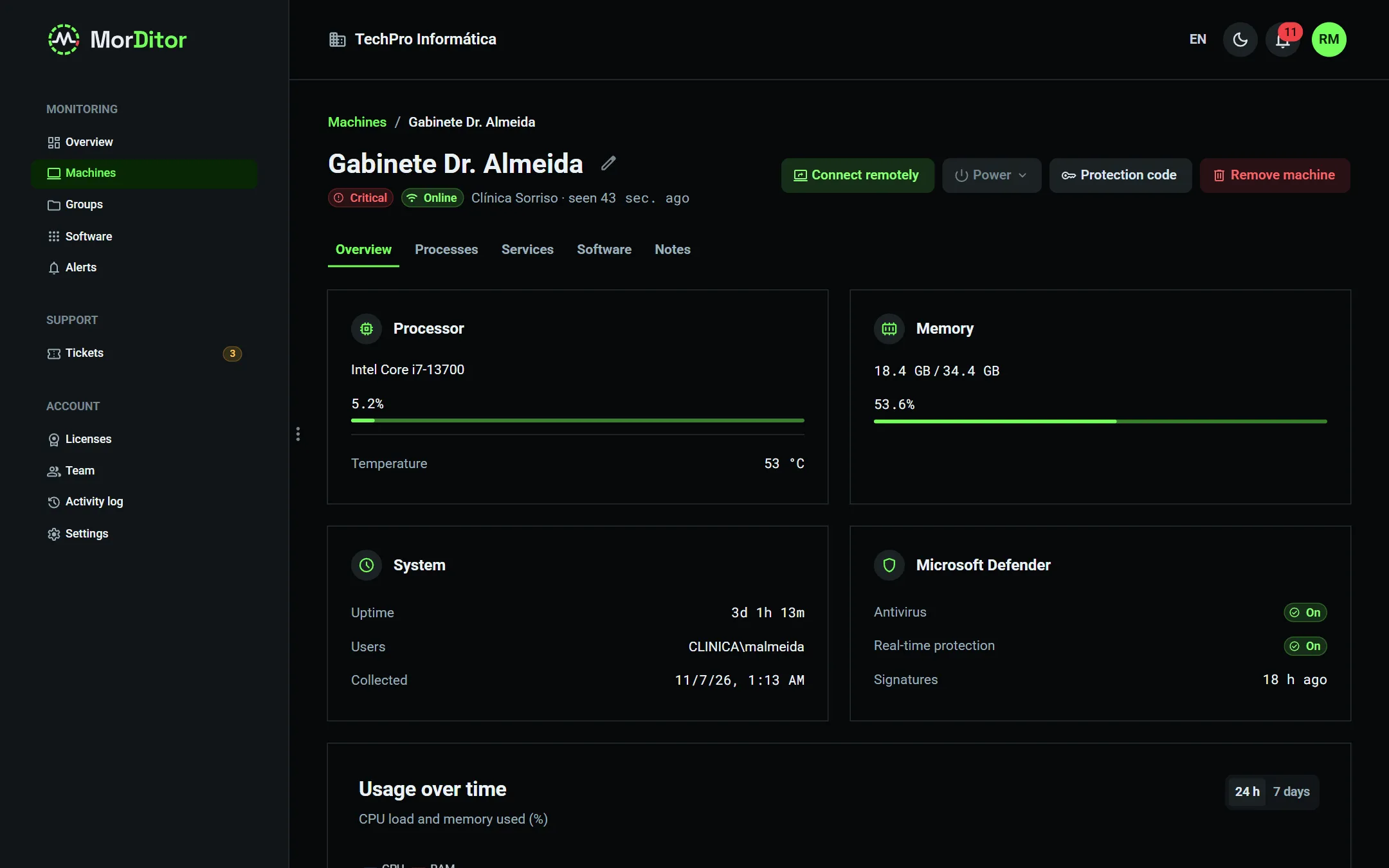
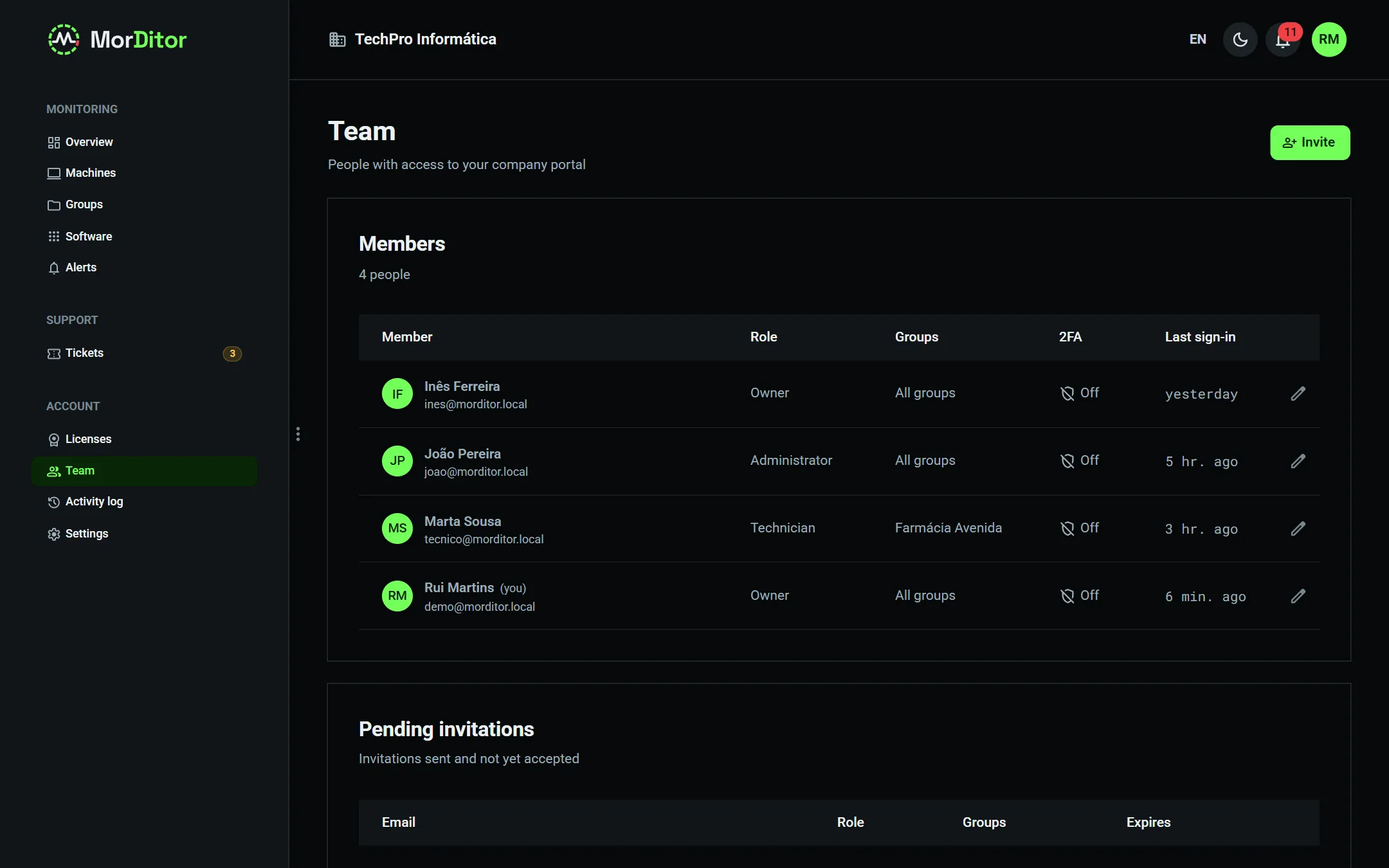
Real portal and agent screenshots, with demo data.
01The problem
By the time the client calls, the problem is days old.
A disk piling up errors, a Windows 10 that is out of support, an antivirus switched off, someone guessing passwords on the server: all of this shows signs before it turns into work. The hard part is watching them, across dozens of machines at different clients.
The warnings are there, nobody sees them
S.M.A.R.T. attributes, SSD wear, overdue updates, Windows security events: they are all there. Without an agent collecting them, you only find out the day something breaks.
The work you do goes unseen
Requests by phone, e-mail and chat, with no history and no time recorded. At the end of the month it is hard to show the client what you did — and to justify your fee.
Tools built for someone else
Remote management platforms tend to be complex and expensive for small fleets. For a practice with five PCs, the numbers do not add up.
02Features
Everything you need to look after your clients' machines.
Install the agent, tune each client's alerts and start getting useful information. No servers to maintain.
Status of every machine
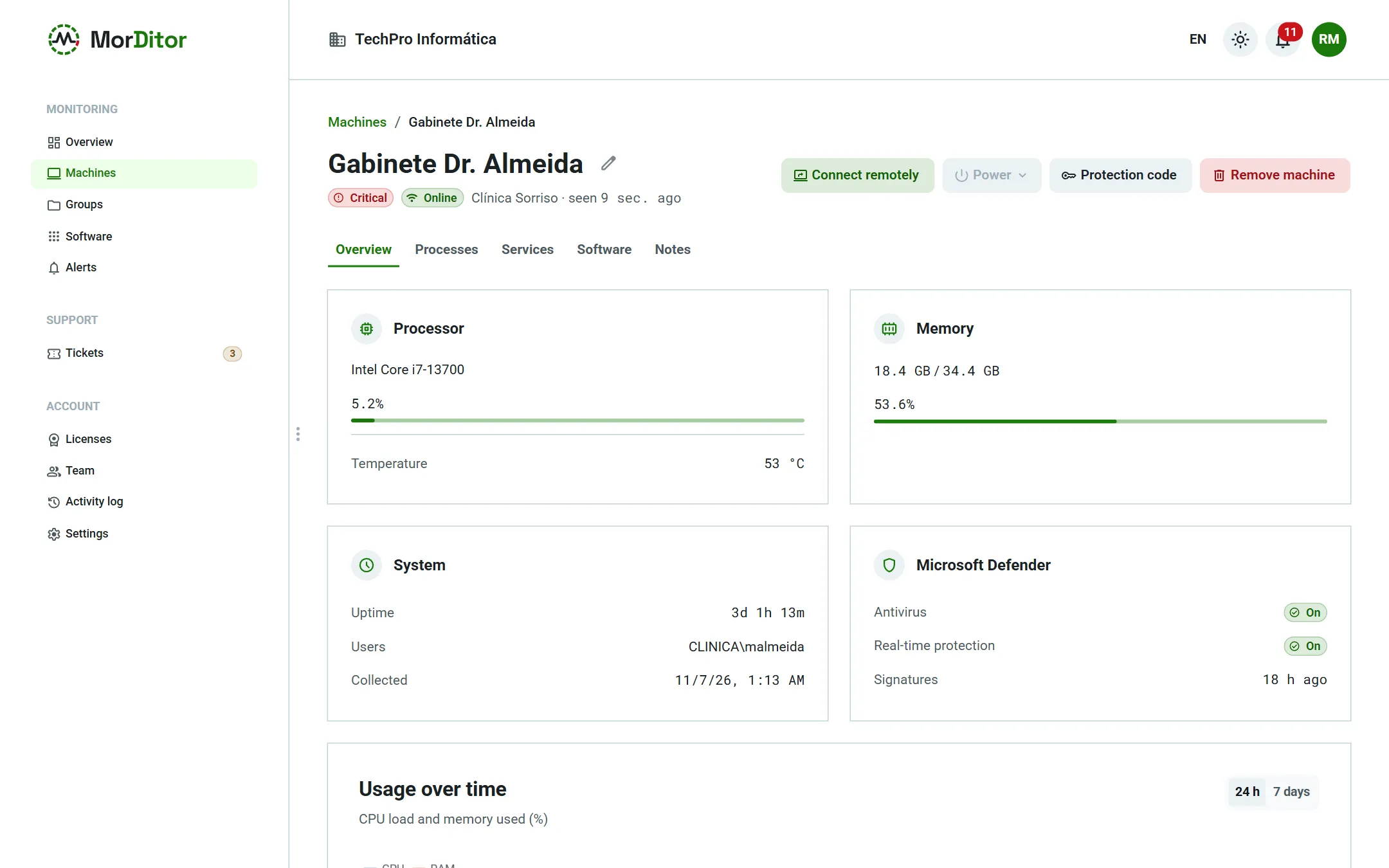
CPU load and temperature, RAM, uptime, signed-in users, network with IPv4 and IPv6, and charts for the last 24 hours or 7 days.
Disks: health and space
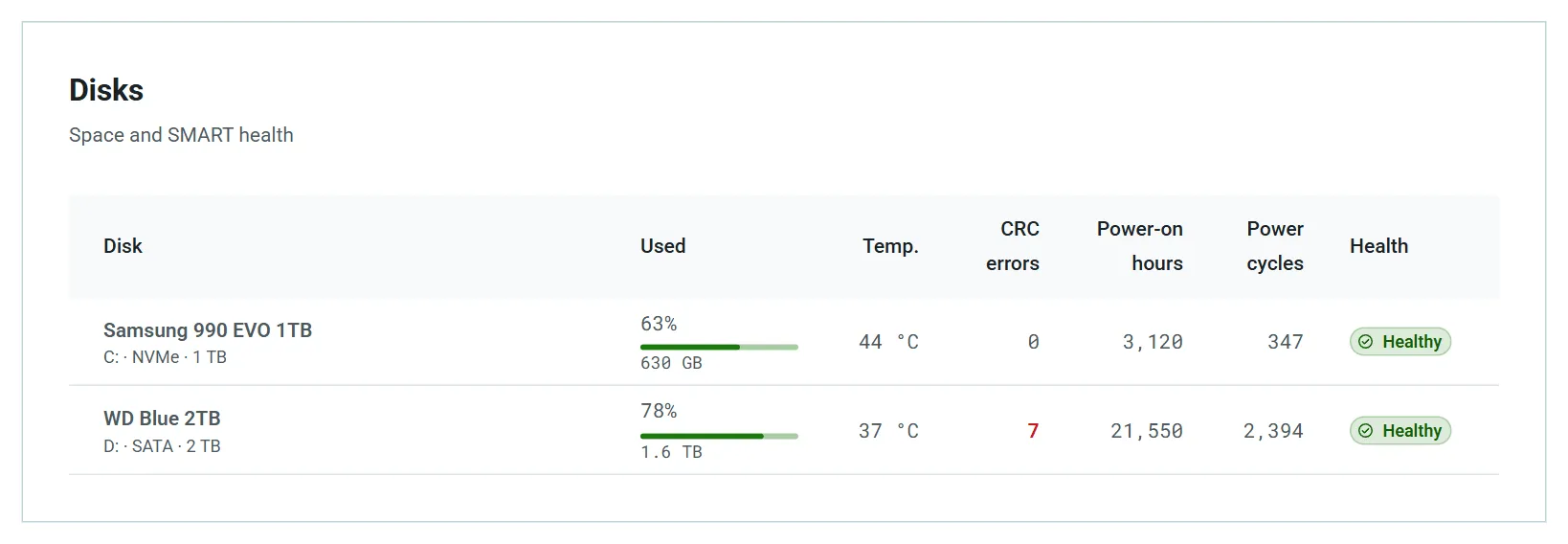
S.M.A.R.T. on SATA and NVMe: failing disk, bad sectors, CRC errors, SSD wear — and a forecast of when the disk will fill up.
Security posture
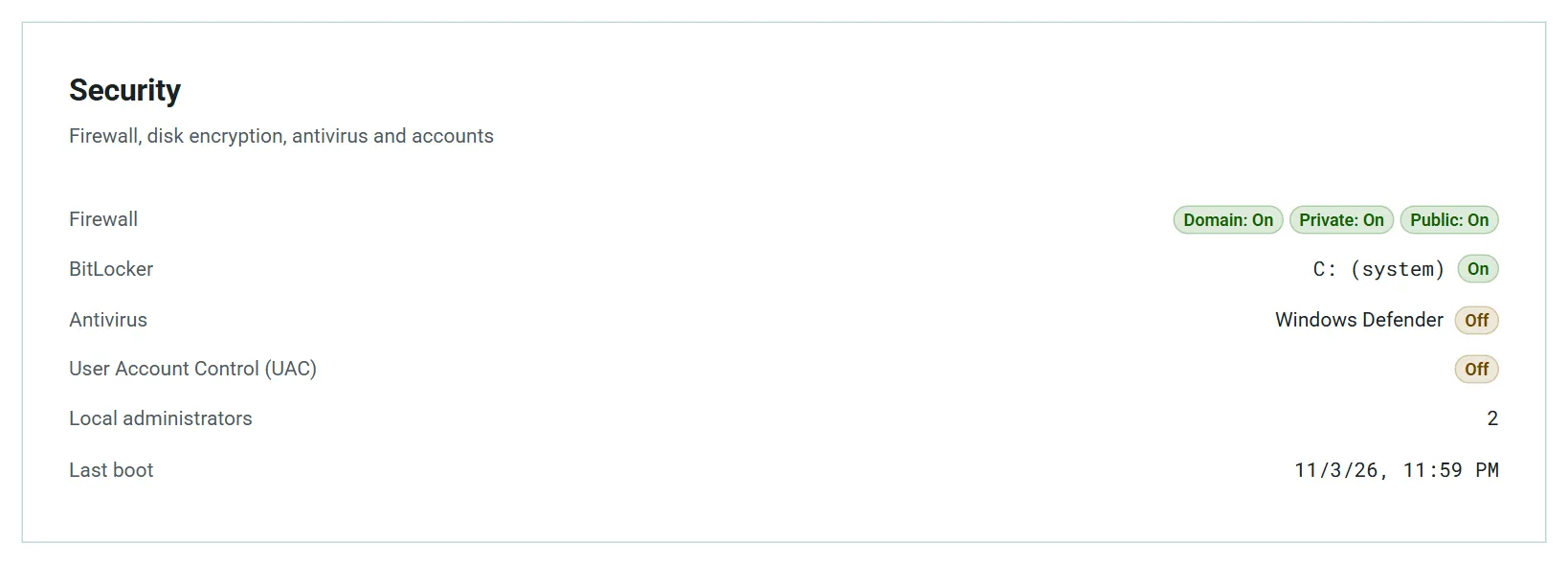
Firewall, BitLocker, antivirus, UAC, local administrators and pending updates. Systems past vendor support, such as Windows 10, are flagged.
Security events
On Windows: Microsoft Defender threat detections, bursts of failed sign-ins, new administrators, security log cleared and unexpected shutdowns.
Alerts that don't wear you out
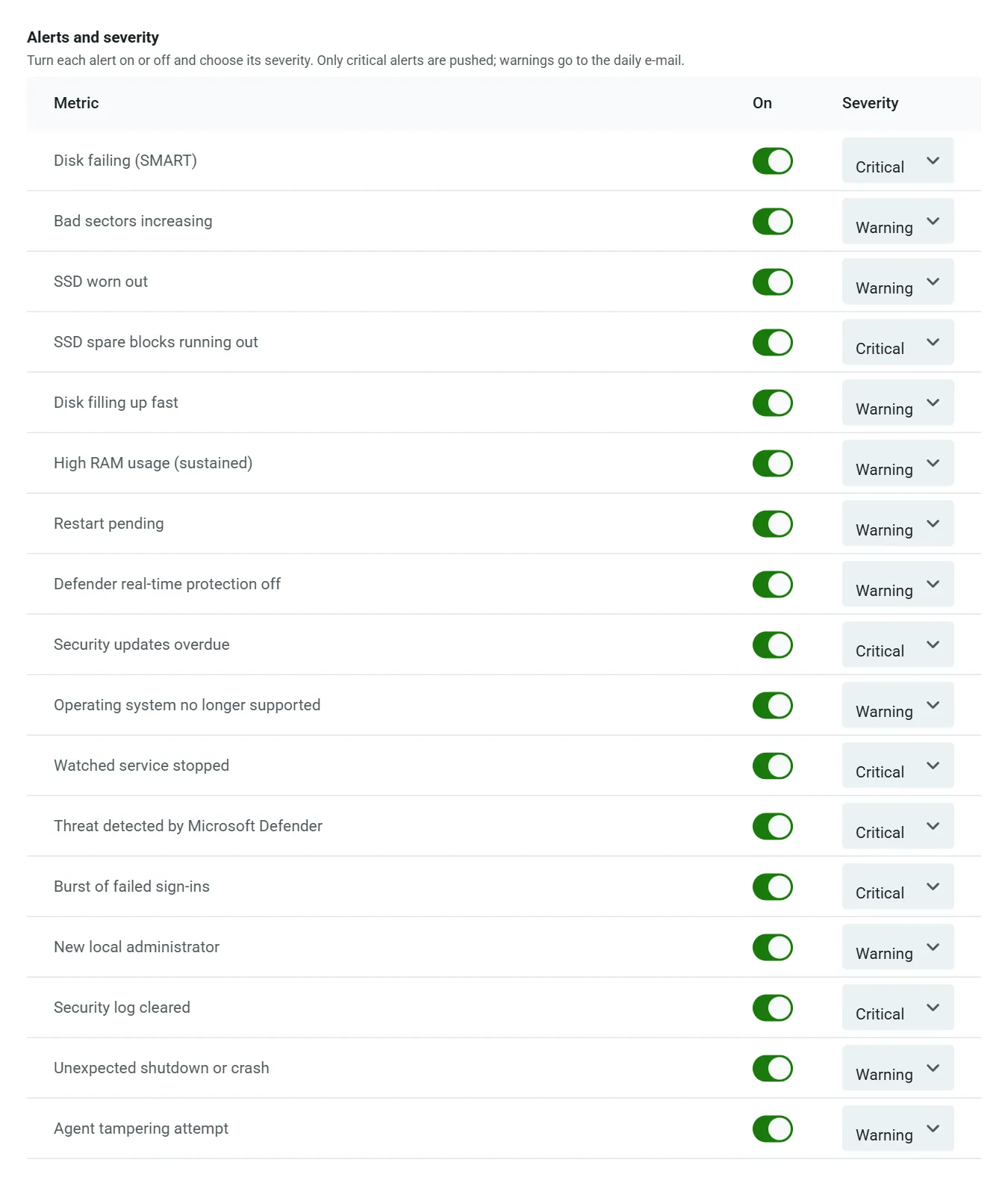
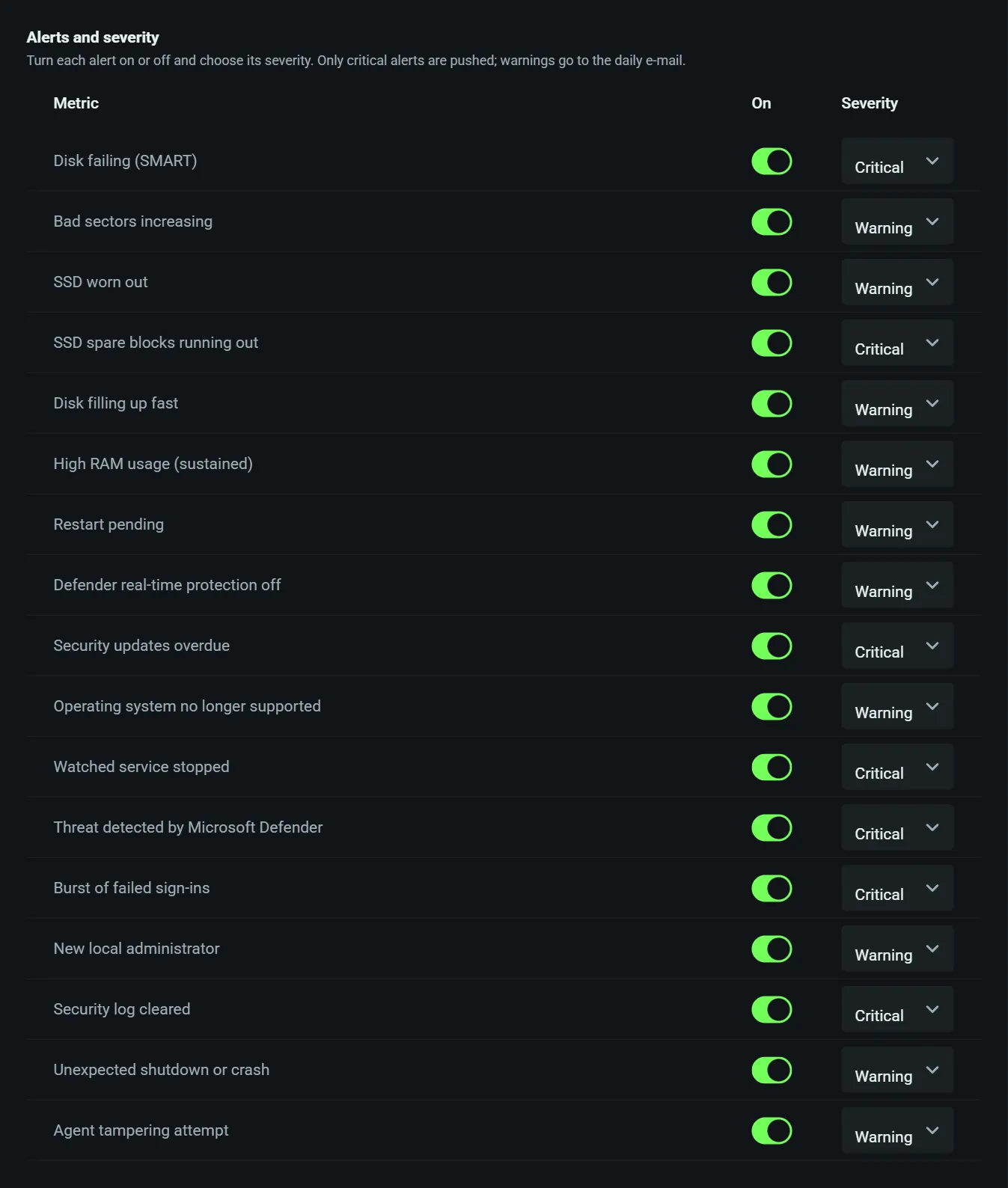
Each alert on or off, with the severity you choose, per client and per machine. Critical ones on your phone at once; warnings in a daily e-mail.
Real-time actions
View and end processes, start, stop and restart services, reboot or shut down now or later. Owners and admins only, everything logged.
Installed software
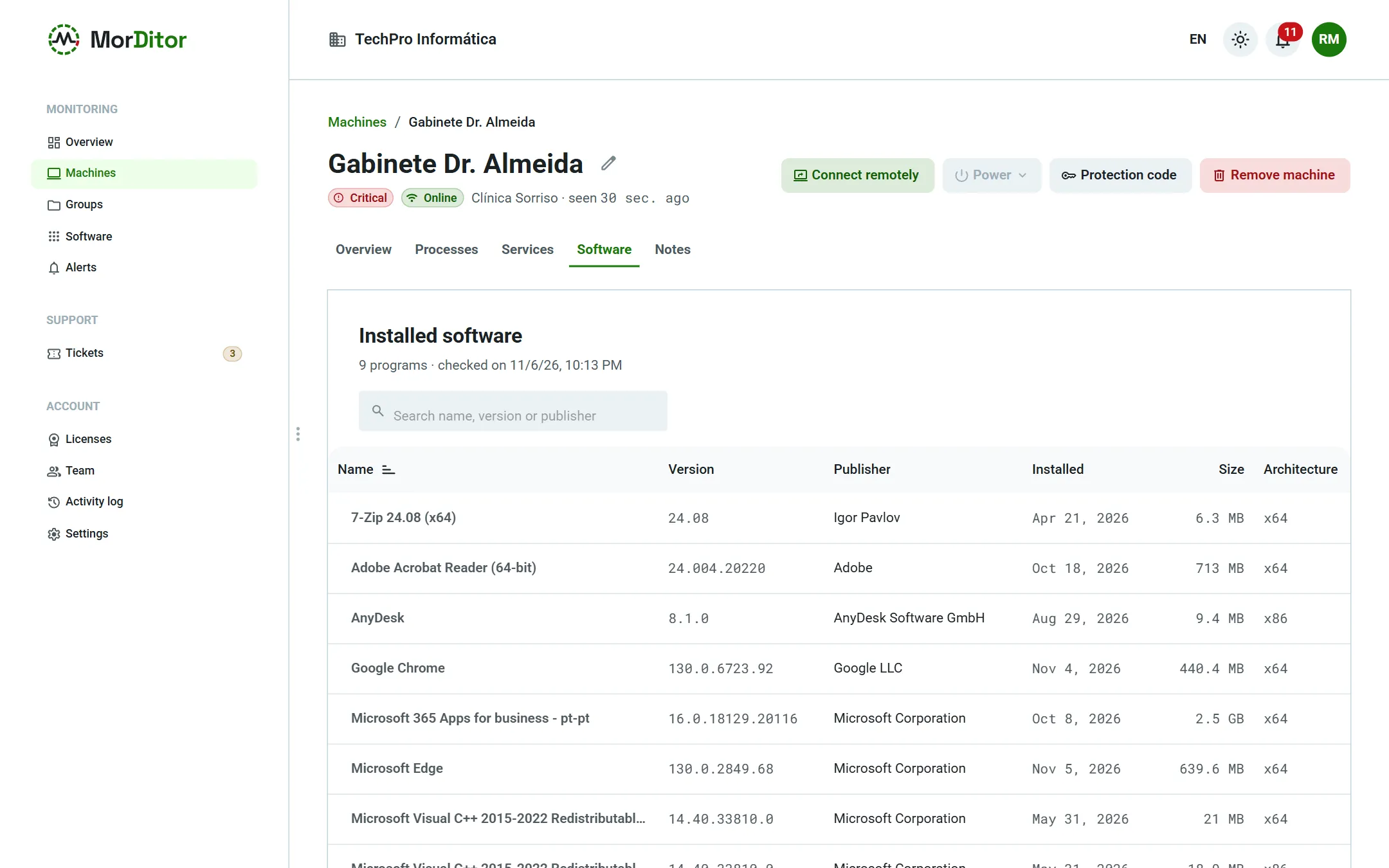
The program list of every machine, a history of installs and updates, and a fleet-wide search: which machines have this program?
Linux servers
Ubuntu, Debian, Red Hat, Rocky, AlmaLinux, Fedora and other systemd distributions, on x86_64 or ARM64. Installed with a single command.
Support tickets under your brand
The user asks for help from the icon by the clock, with your company's logo and name. When closing, the technician records a summary and the time spent.
Monthly client report
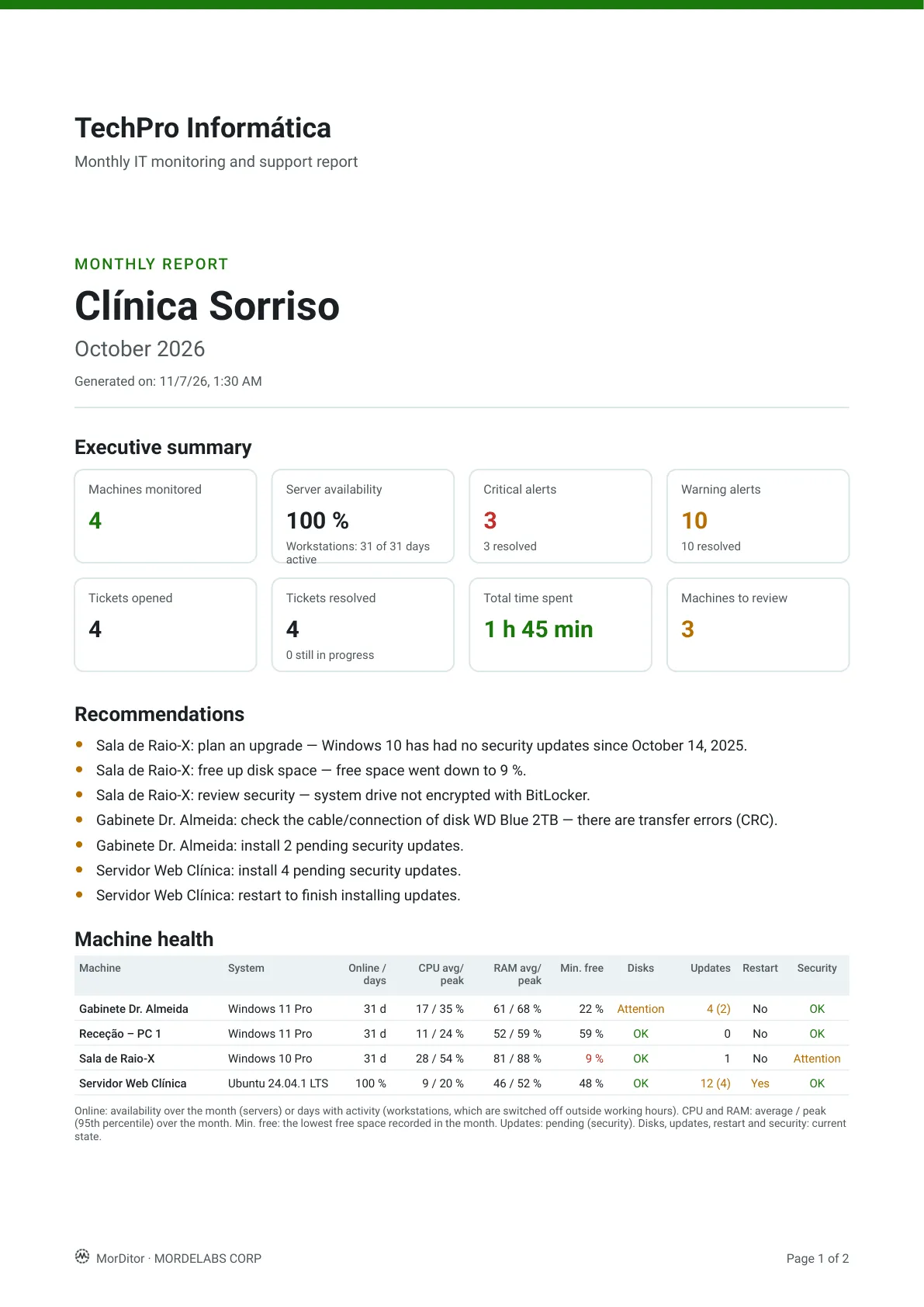
A PDF with your logo: the month's summary, automatic recommendations, the status of each machine, alerts and tickets with the time spent.
Inventory and documentation
Inventory export to Excel or CSV (machines, disks and software), notes per machine and a button that opens RustDesk, AnyDesk or TeamViewer.
Many clients, one team
Each client is a group. Technicians see all clients or only some, with two-factor authentication and a complete activity log.
Mobile app
Alerts, machines and support tickets on your phone, with push notifications. Android and iOS — coming soon to the stores.
Mass deployment
A per-client installer, silent install through GPO or RMM, signed automatic updates and code-protected uninstall.
English and Portuguese
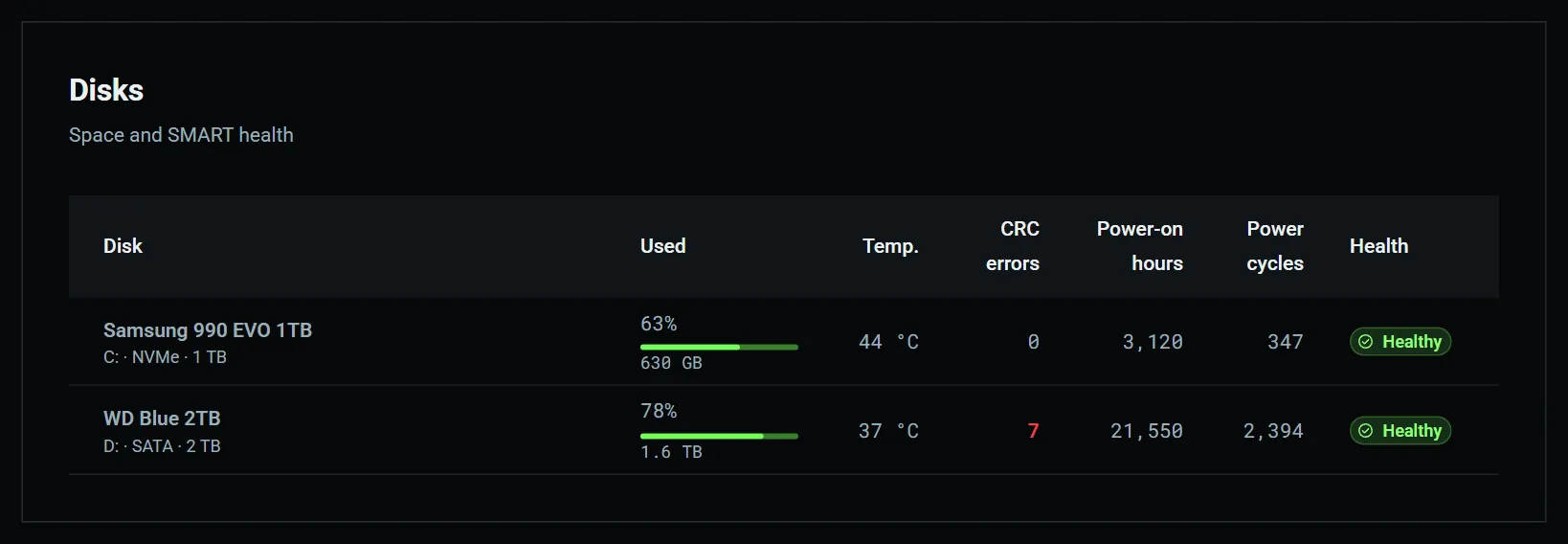
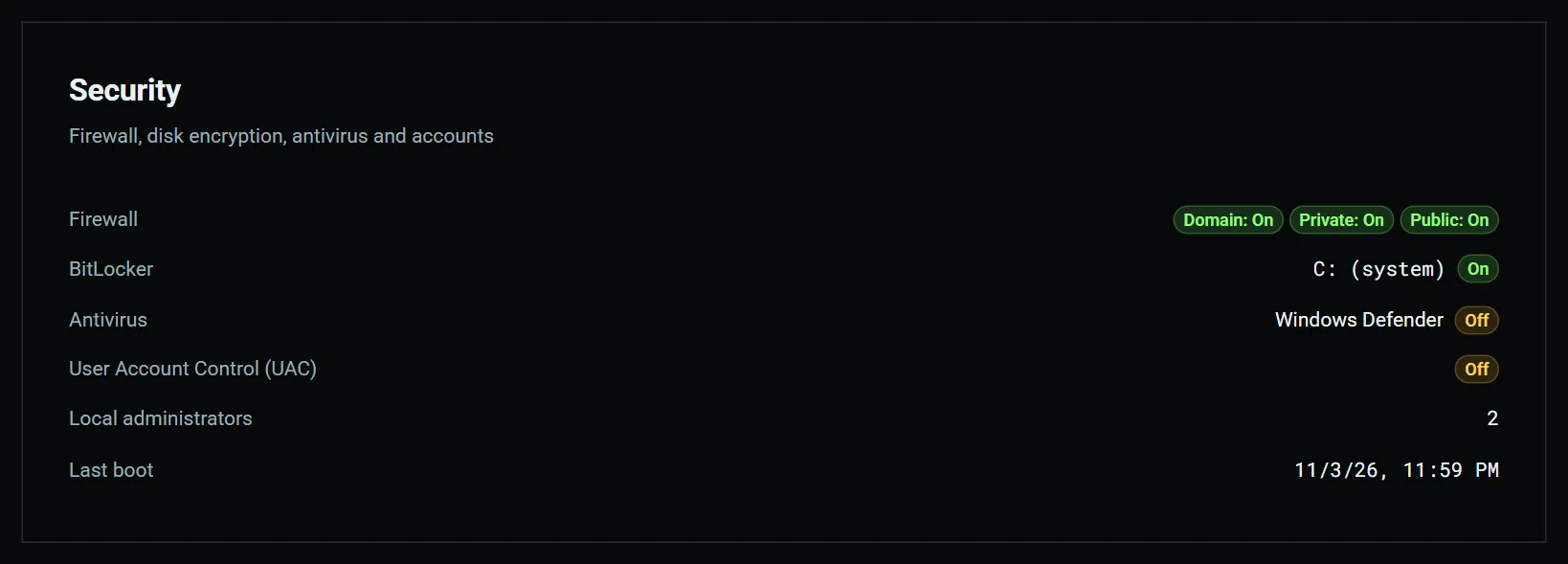
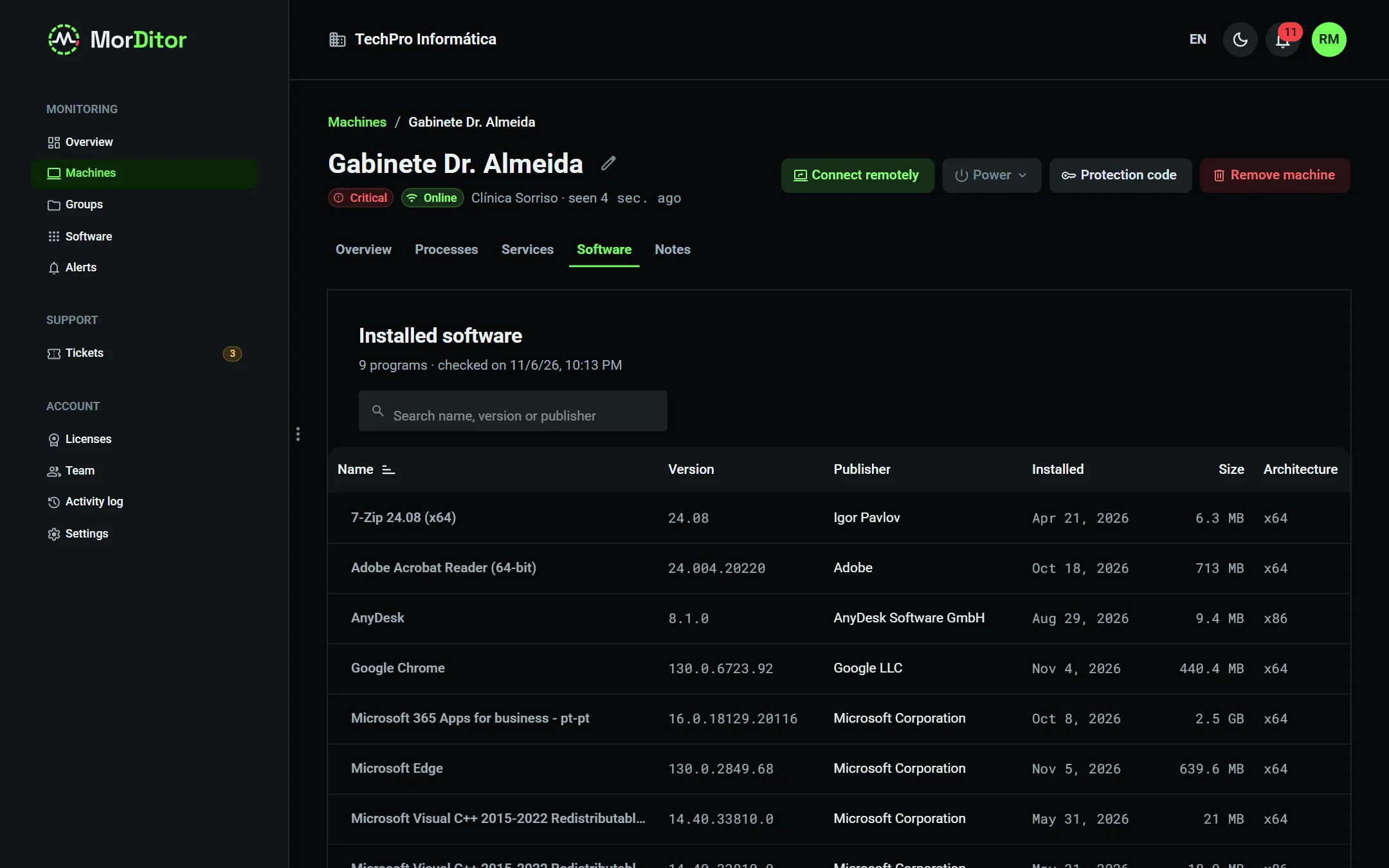
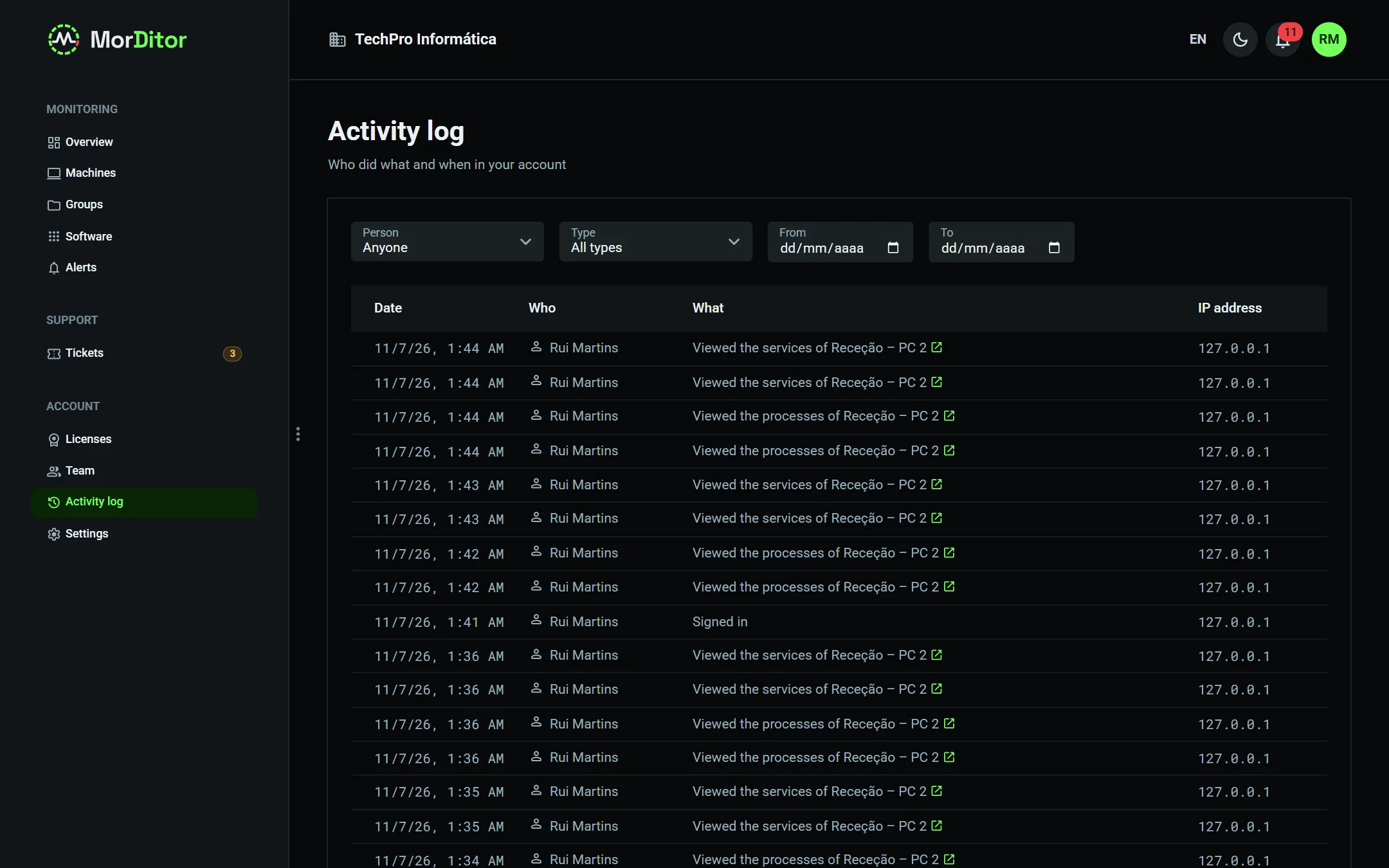
Portal, app, agent and reports in English and Portuguese, with light and dark themes. Hosted in the European Union.
03In detail
Built for the daily work of IT support.
3.1 · Monitoring & disks
See a disk degrading before the data is lost.
The agent sends a full picture of the machine every 10 or 15 minutes and checks the essentials every minute. If the PC goes offline, it keeps the data locally for up to 30 days and sends it when the network is back.
A disk declaring itself failing, reallocated or pending sectors growing and CRC errors — the classic sign of a bad SATA cable.
NVMe SSDs: percentage of life used and spare blocks, with an alert before the end.
Daily fill forecast: an alert when, at the pace of the last 7 days, the disk will be full within the period you set.
Disks behind RAID controllers or USB adapters without S.M.A.R.T. show as “not supported” — no made-up readings.
Machine page and disk table: disk D: has 7 CRC errors and has already raised an alert.
3.2 · Security
Know which PCs are unprotected — and when someone tries to get in.
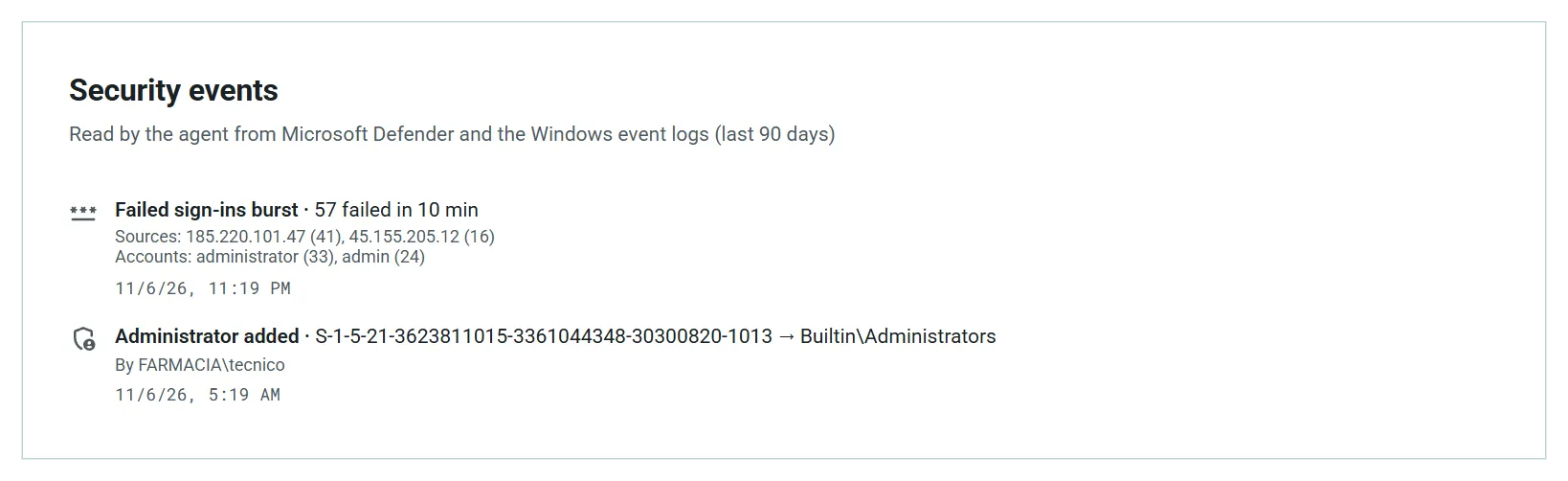
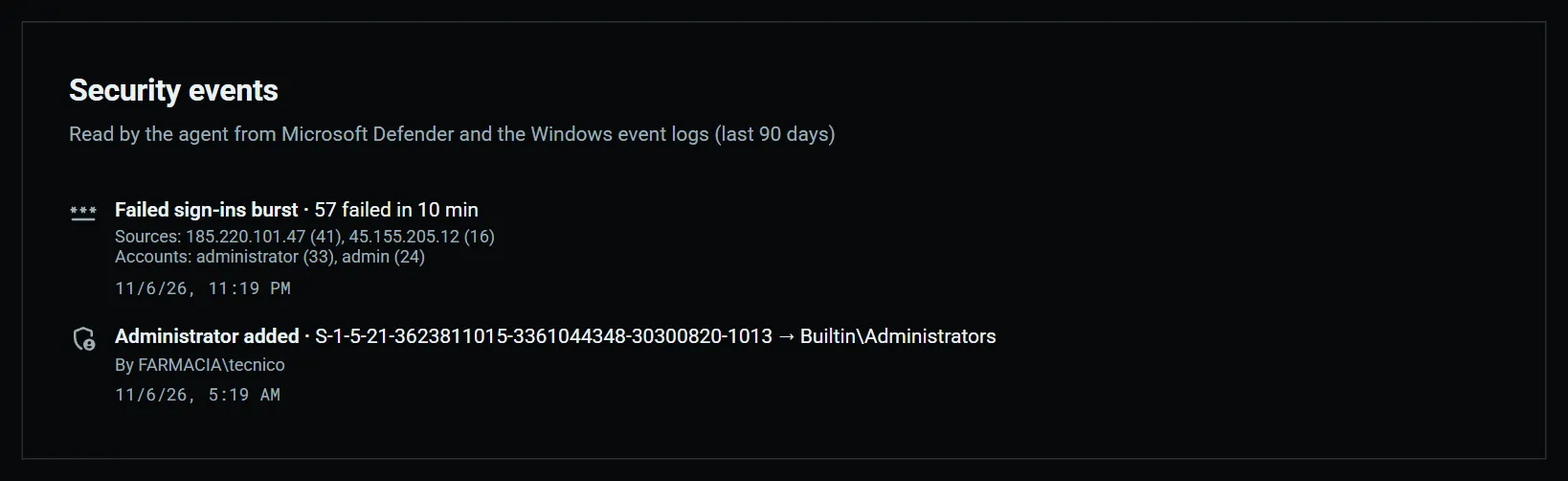
For every machine, the state of the essential protections. And, on Windows PCs and servers, the events a technician wants to know about the same day: read by the agent from Microsoft Defender and the Windows event logs.
Firewall per profile, BitLocker on the system drive, antivirus active and up to date, UAC and members of the Administrators group.
Threats detected by Defender, with a priority alert when removal fails.
Bursts of failed sign-ins, with the source IP addresses and the accounts tried.
New administrator accounts, security log cleared, unexpected shutdowns and blue screens with the stop code.
Operating systems past vendor support — Windows 10 since October 2025, for example — flagged on the dashboard: an upgrade opportunity to bring to your client.
Security posture of a PC with its antivirus off, and a server's security events.
3.3 · Alerts & mobile app
The right alerts, for the right people.
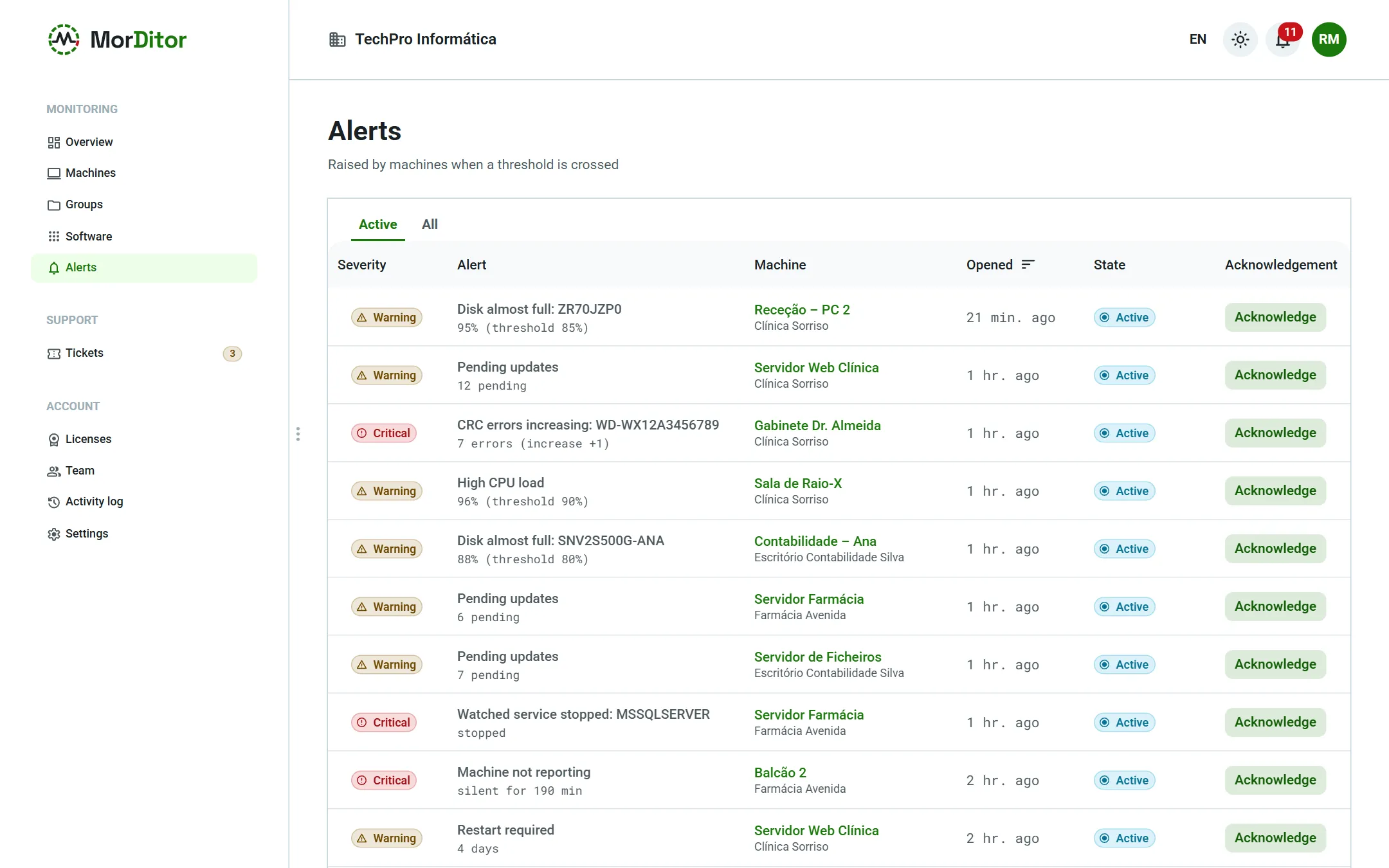
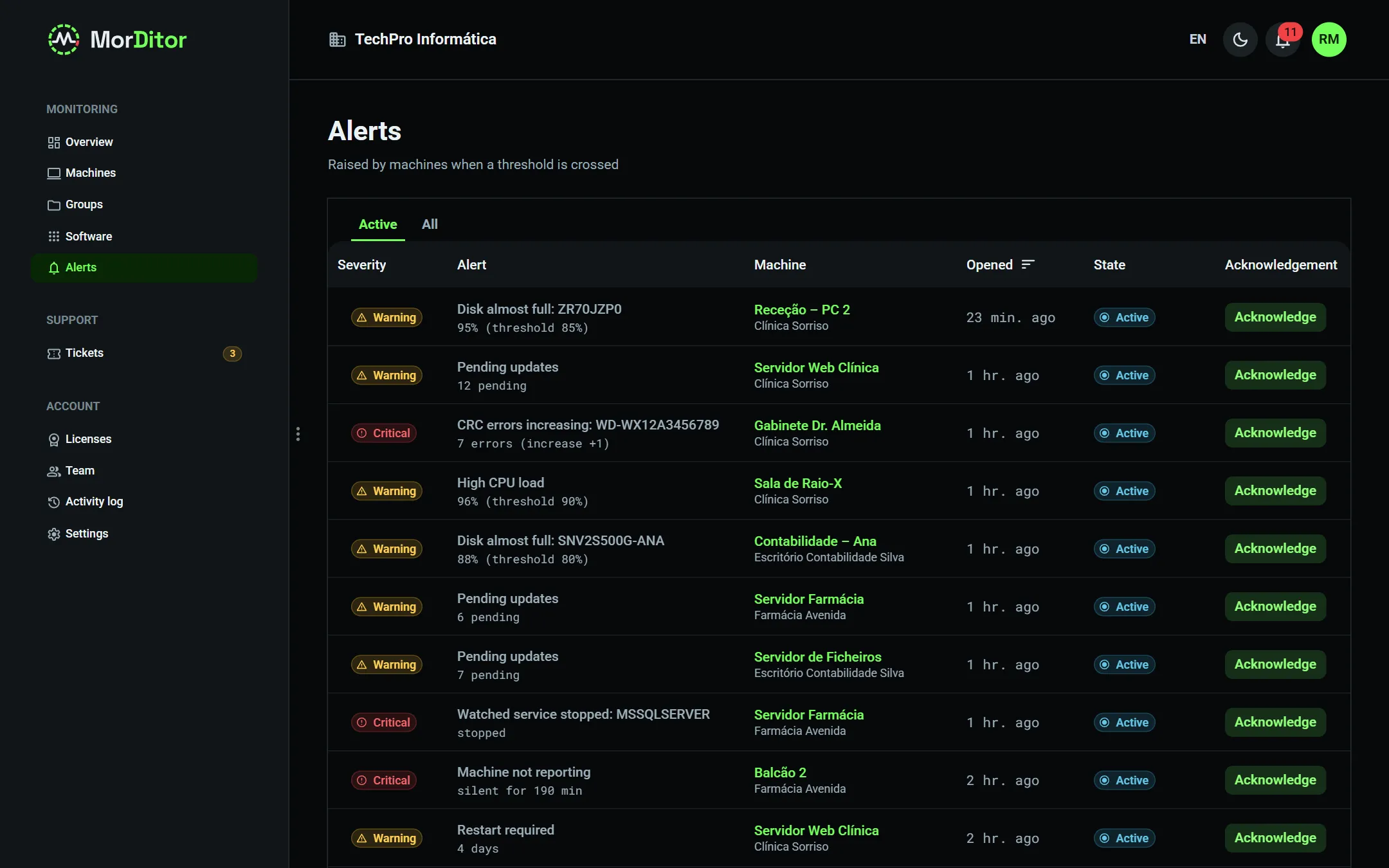
Choose, for each client, which alerts you want and how severe they are, and fine-tune machine by machine when needed. Critical alerts reach your phone at once; warnings are bundled into one e-mail a day, at 8 am.
Thresholds for CPU, temperatures, disk usage and RAM high for 15 minutes.
Reboot pending for days, overdue security updates and unsupported operating system.
Watched services: choose the Windows services or systemd units that must not stop — the SQL Server behind the billing software, for example.
Server not reporting: a critical alert by push and e-mail, after the delay you set. On workstations it is off by default, since they are switched off at night.
Every alert can be acknowledged by a technician, and who did it is recorded.
Active alerts across all clients and a client's “Alerts and severity” settings.
3.4 · Real-time actions
Fix things without asking the user to step away.
While the agent is connected, the portal talks to the machine in real time, over an outbound connection that only needs HTTPS — no ports to open on the client's router. There is no arbitrary command execution: only a closed set of actions, validated on both sides.
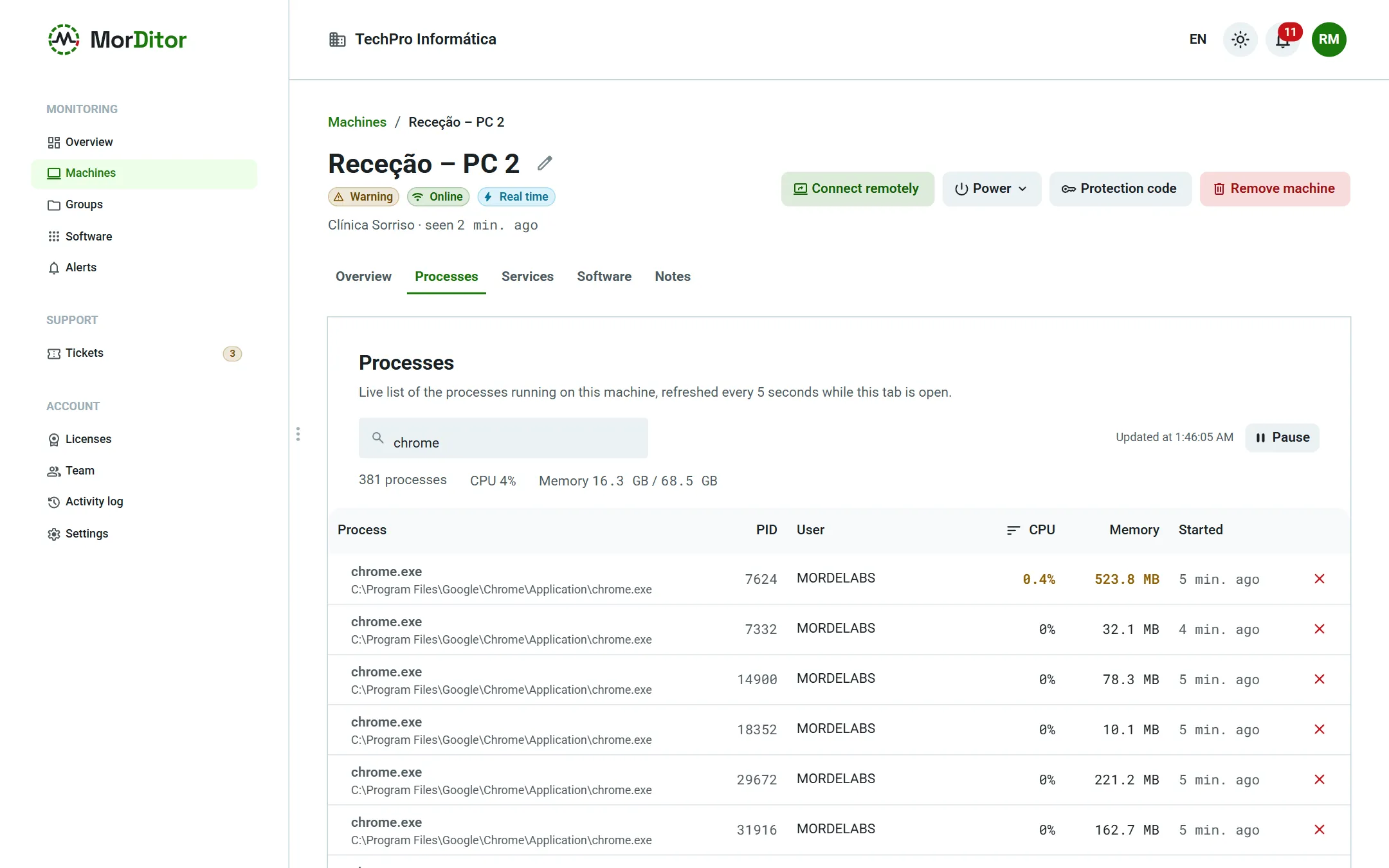
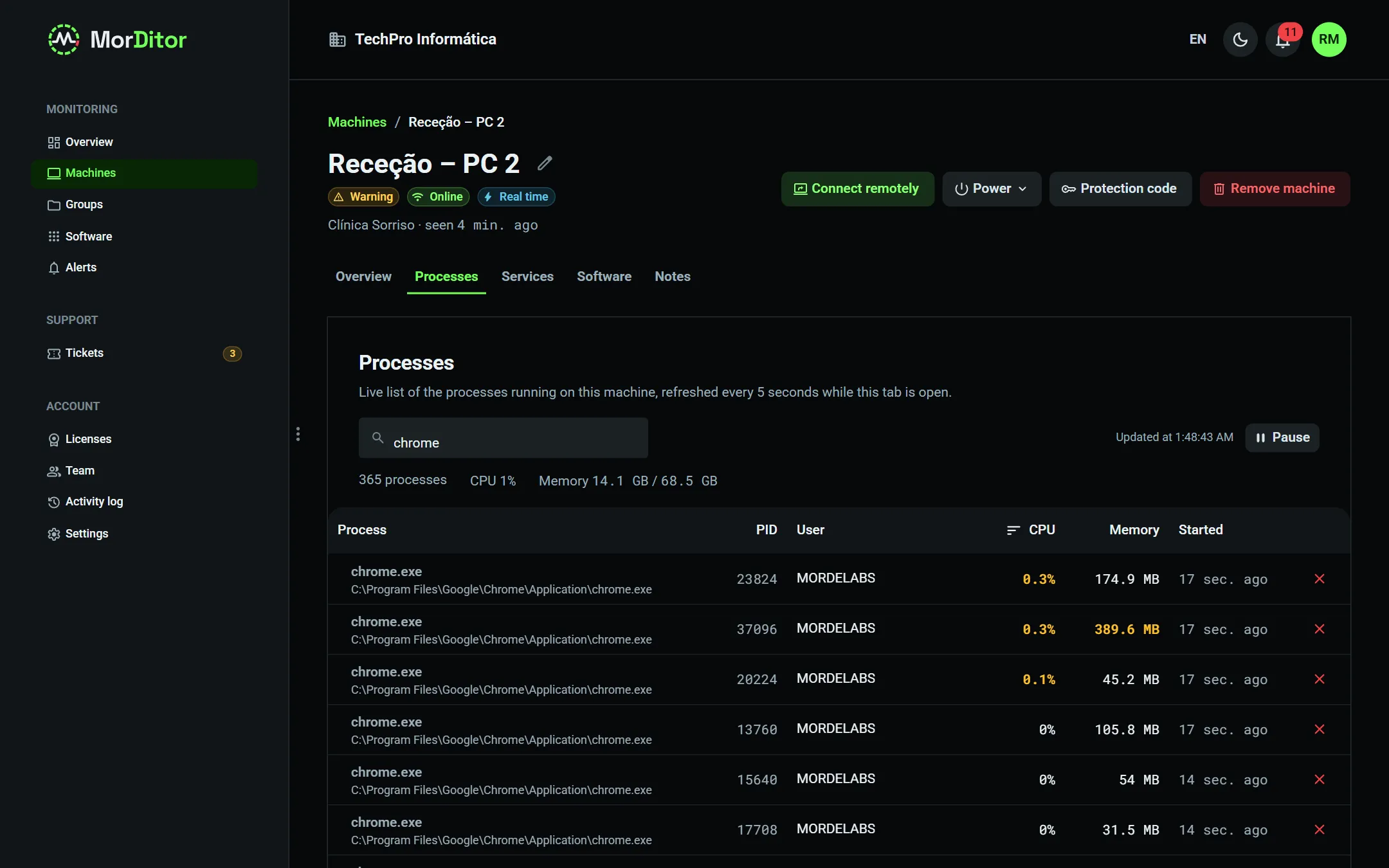
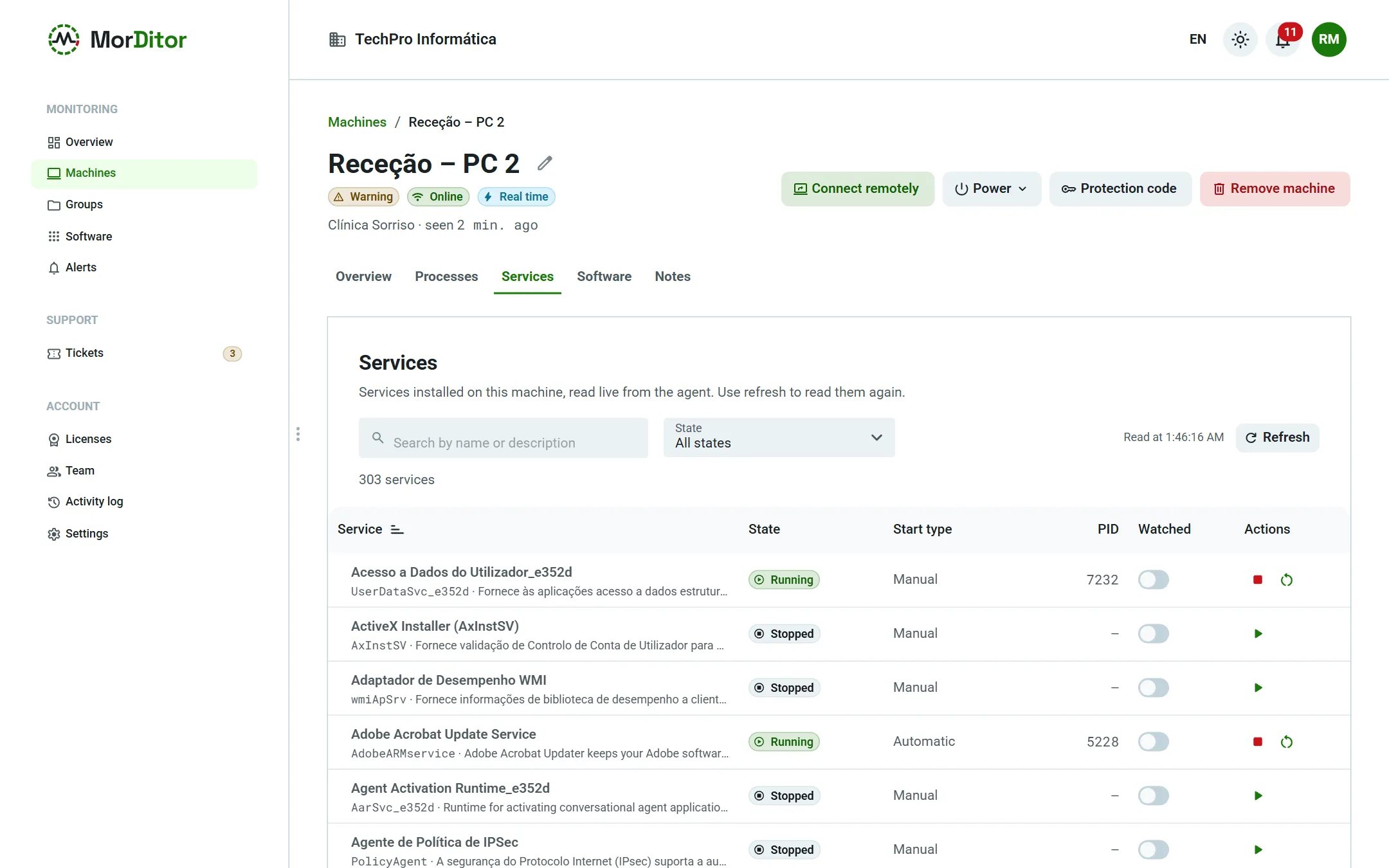
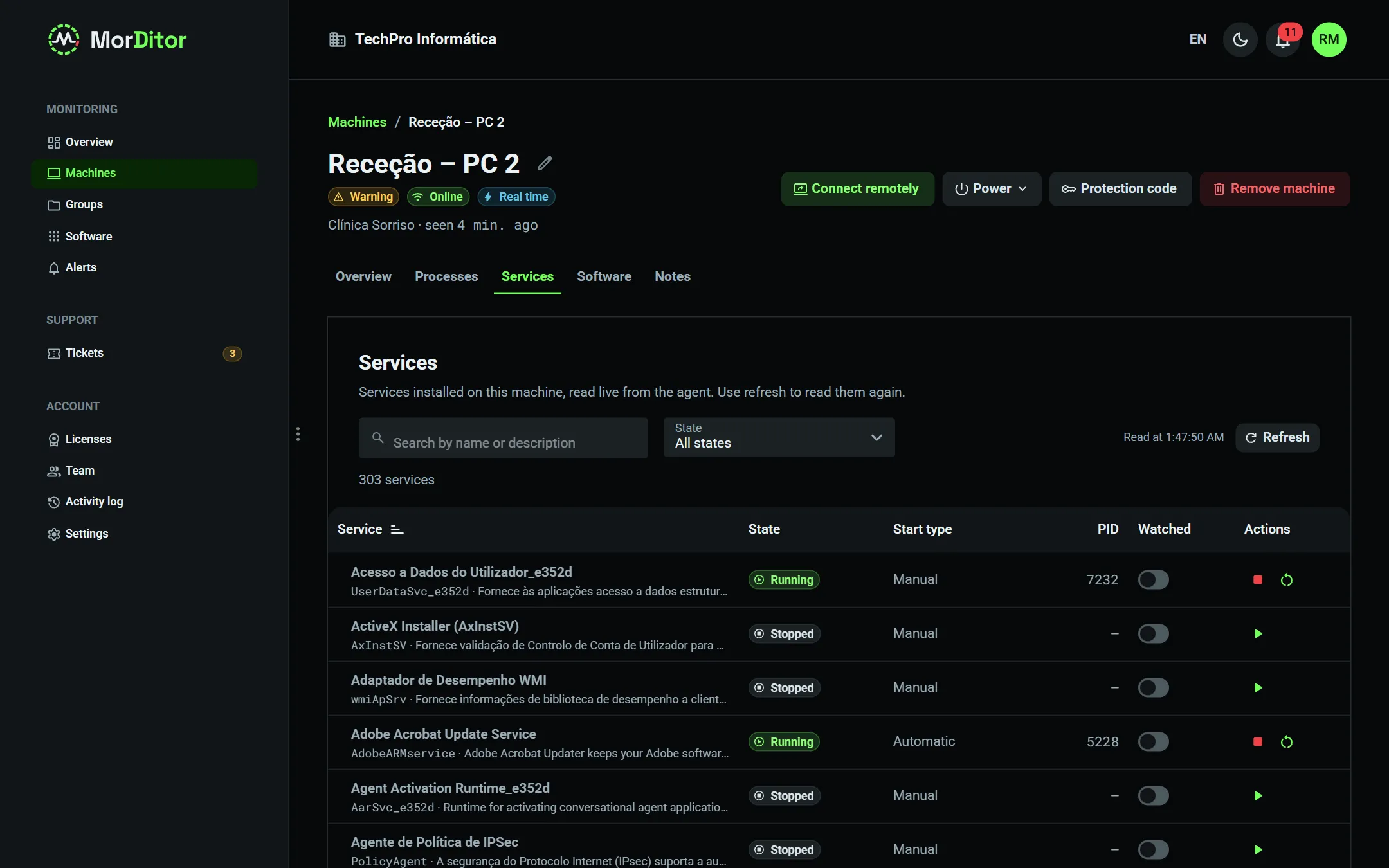
Live processes with CPU, memory, user and path; end a process that hangs. Critical system processes are protected.
Windows services and systemd units: start, stop and restart, with the state updating on screen.
Reboot or shut down now or after a delay, and cancel a scheduled reboot. On servers you must type the machine name to confirm.
Only owners and admins can act; technicians can look. Every action goes into the activity log.
Processes and services read live from the agent, with the “Real time” indicator.
3.5 · Installed software
Which machines have that program? The answer in seconds.
The agent sends the list of installed programs when it changes, and MorDitor keeps track of what was installed, removed or updated. Useful for licensing, audits and for reacting fast to a vulnerability.
Windows: system-wide and per-user programs, with version, publisher, date and size. Linux: dpkg or rpm packages.
“Recent changes” on every machine: what came in, went out or changed version.
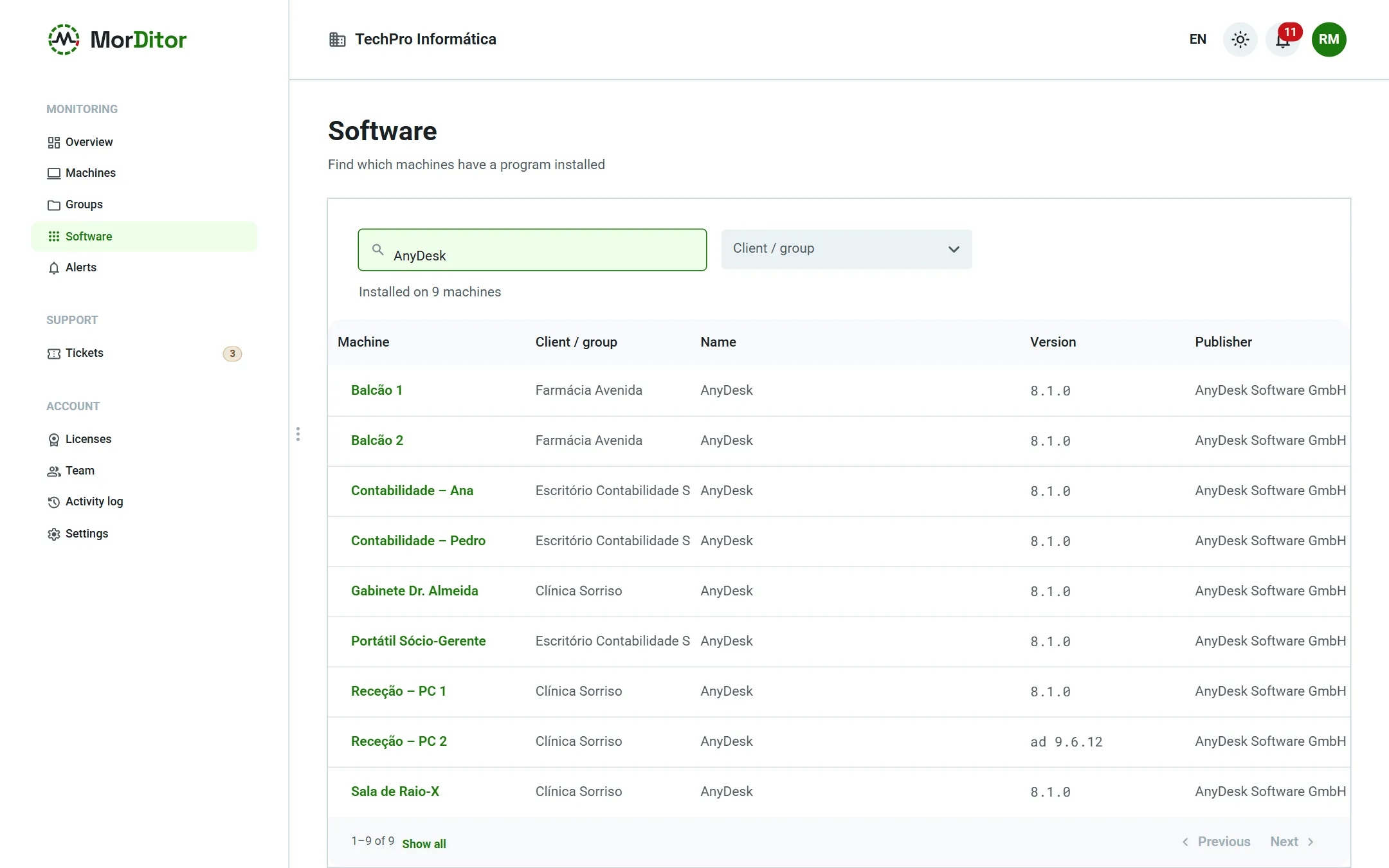
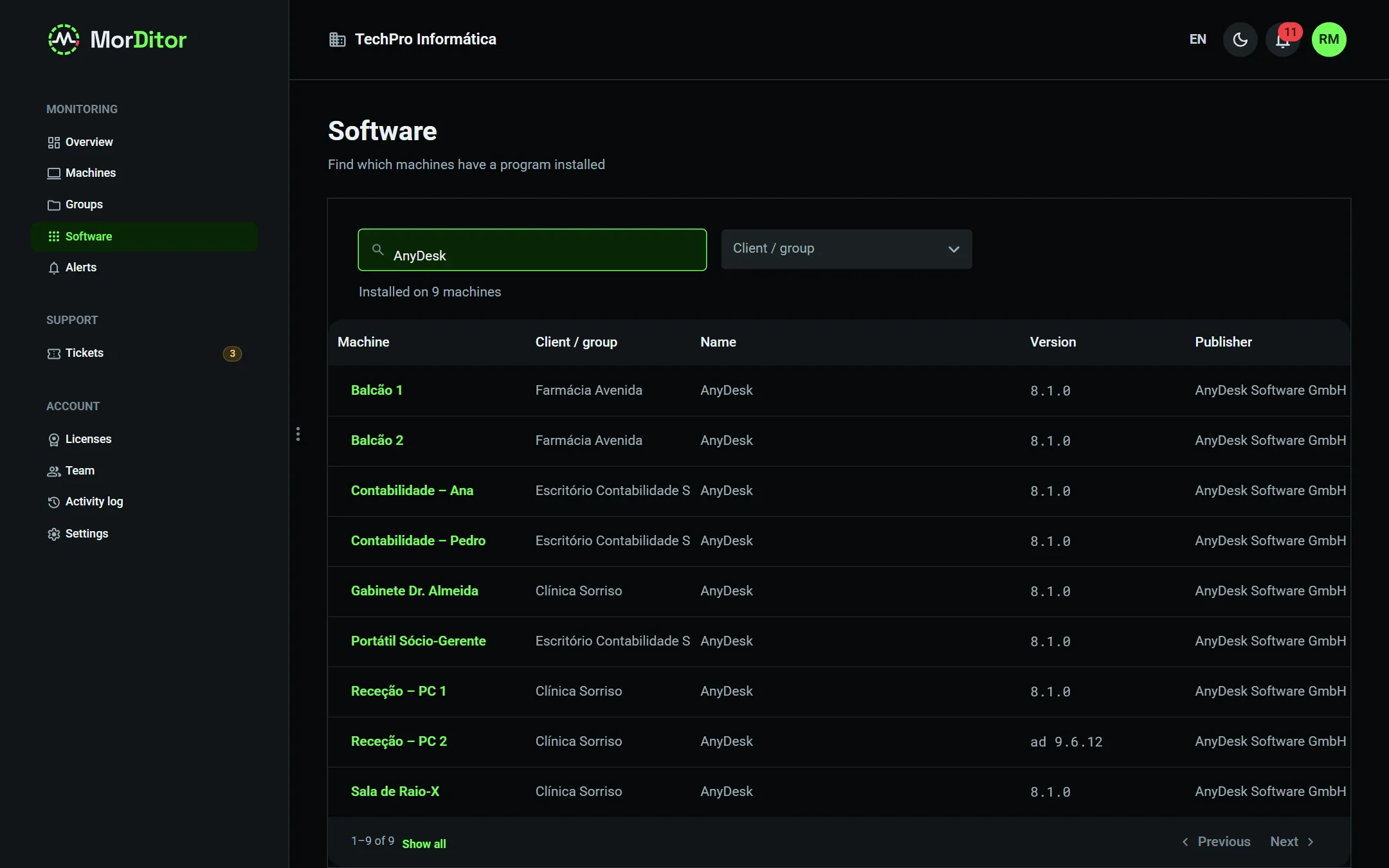
Search across all clients or just one: “who has AnyDesk installed?”.
Export to Excel or CSV with a software sheet, machines and disks.
Fleet-wide search and a machine's software inventory.
3.6 · Support tickets
Users ask for help without leaving Windows. Under your brand.
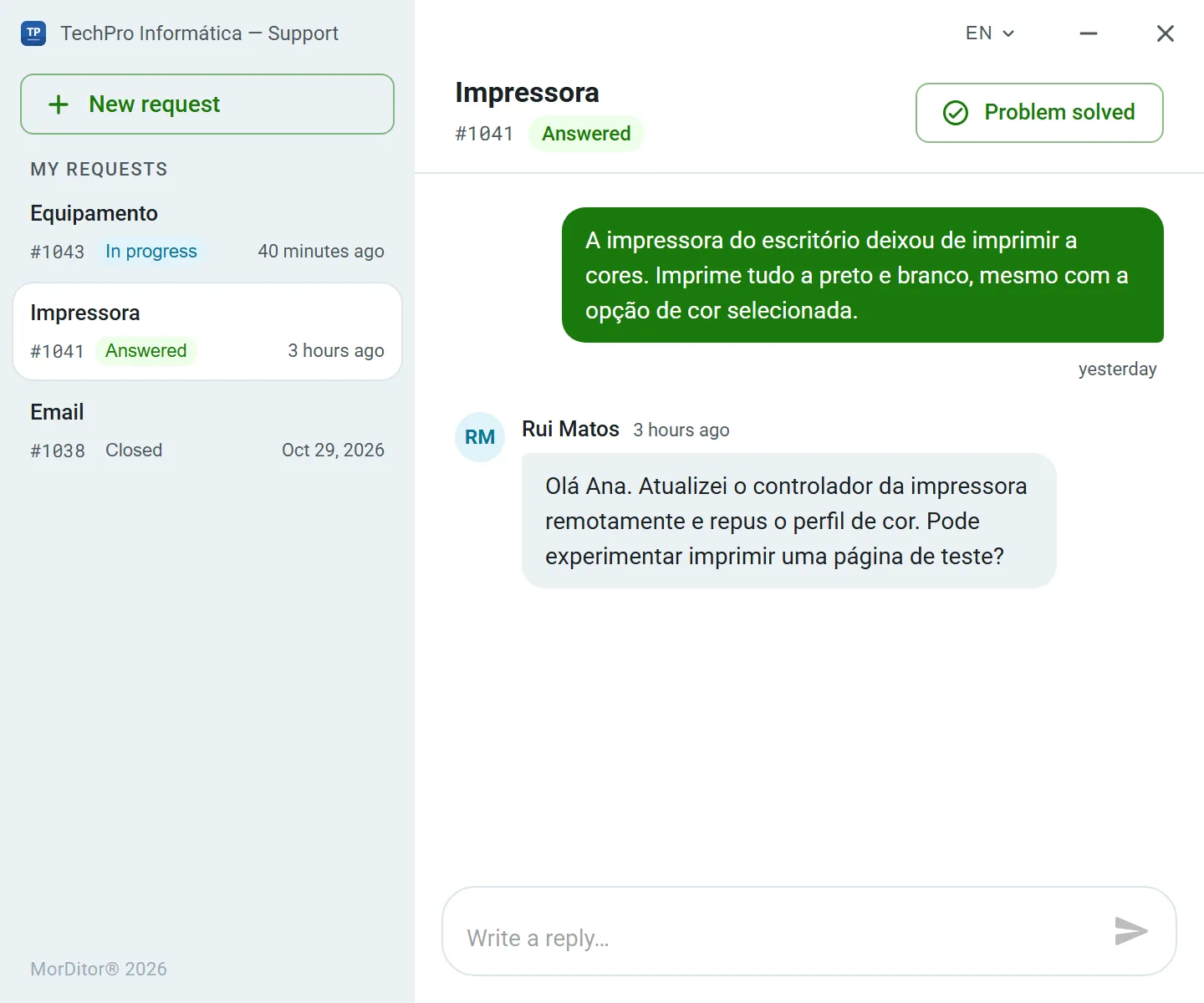
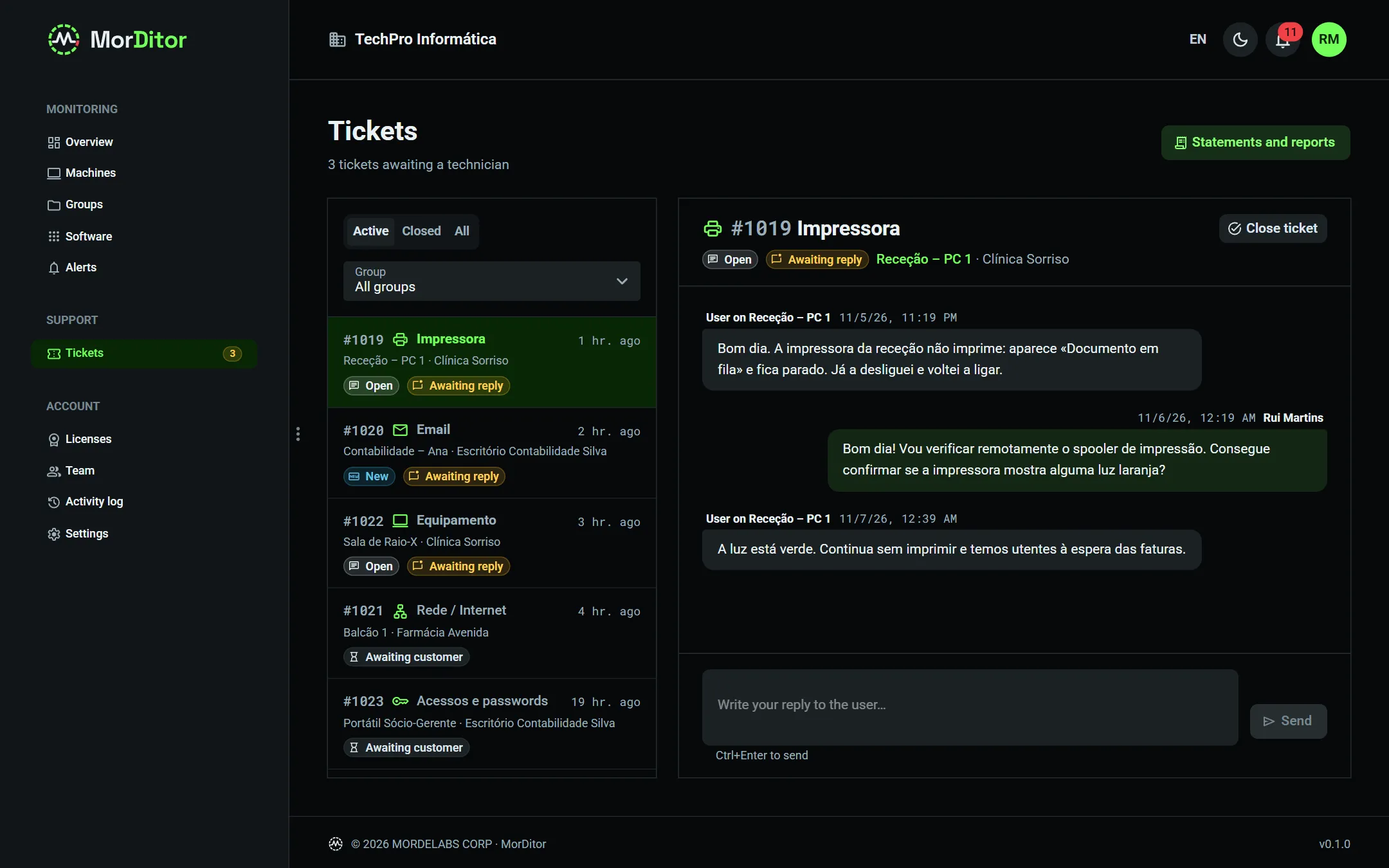
From the icon by the clock, the user picks “Open a support ticket”, chooses the subject and describes the problem. The ticket reaches the portal already linked to the machine and the client.
Icon and windows with your company's logo and name.
The icon shows a status dot over your logo: red when the PC has a critical alert, blue when the technician has replied and the reply is still unread.
Subjects set by your company (printer, e-mail, access…) and a two-way conversation, with a Windows notification when the technician replies.
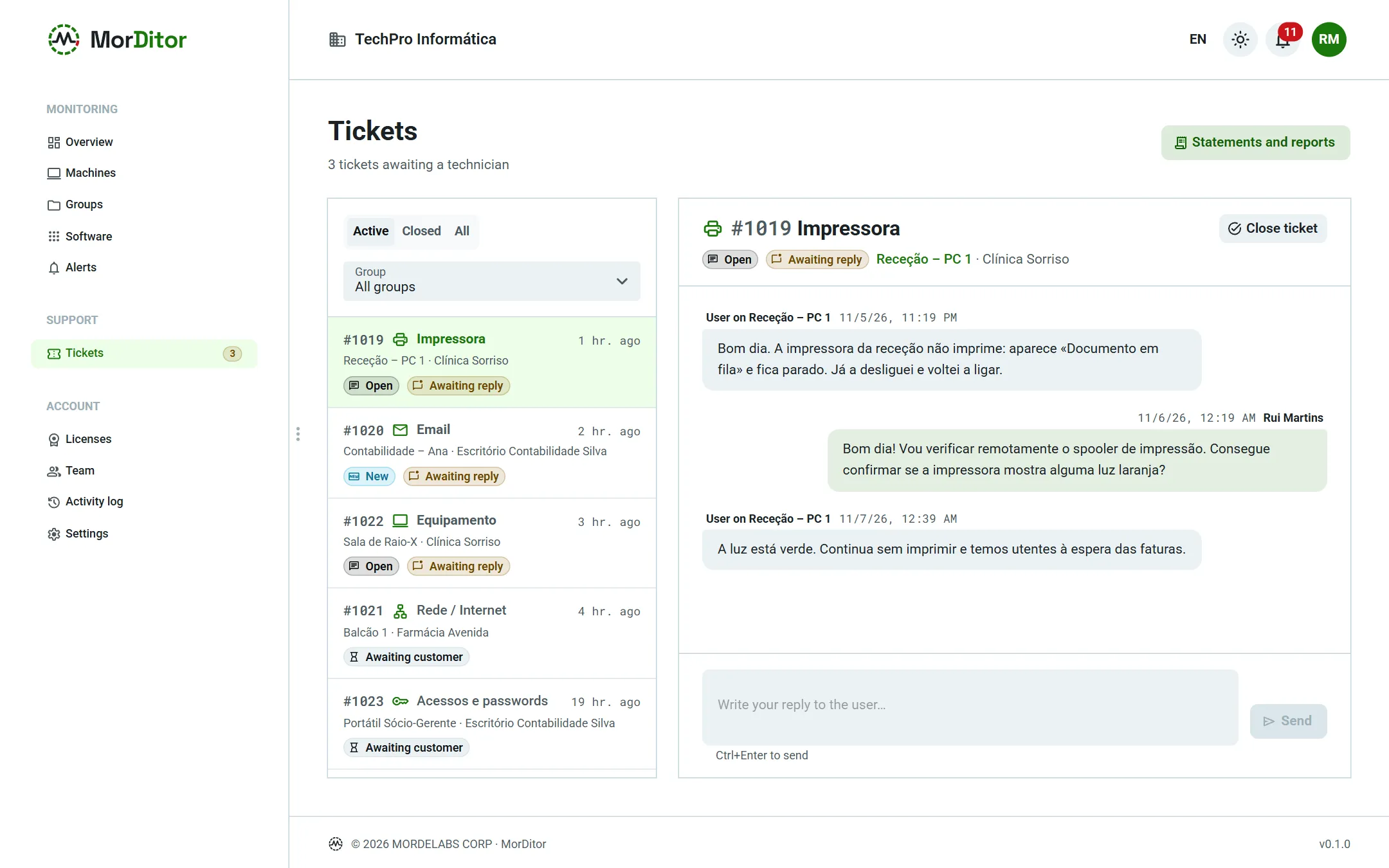
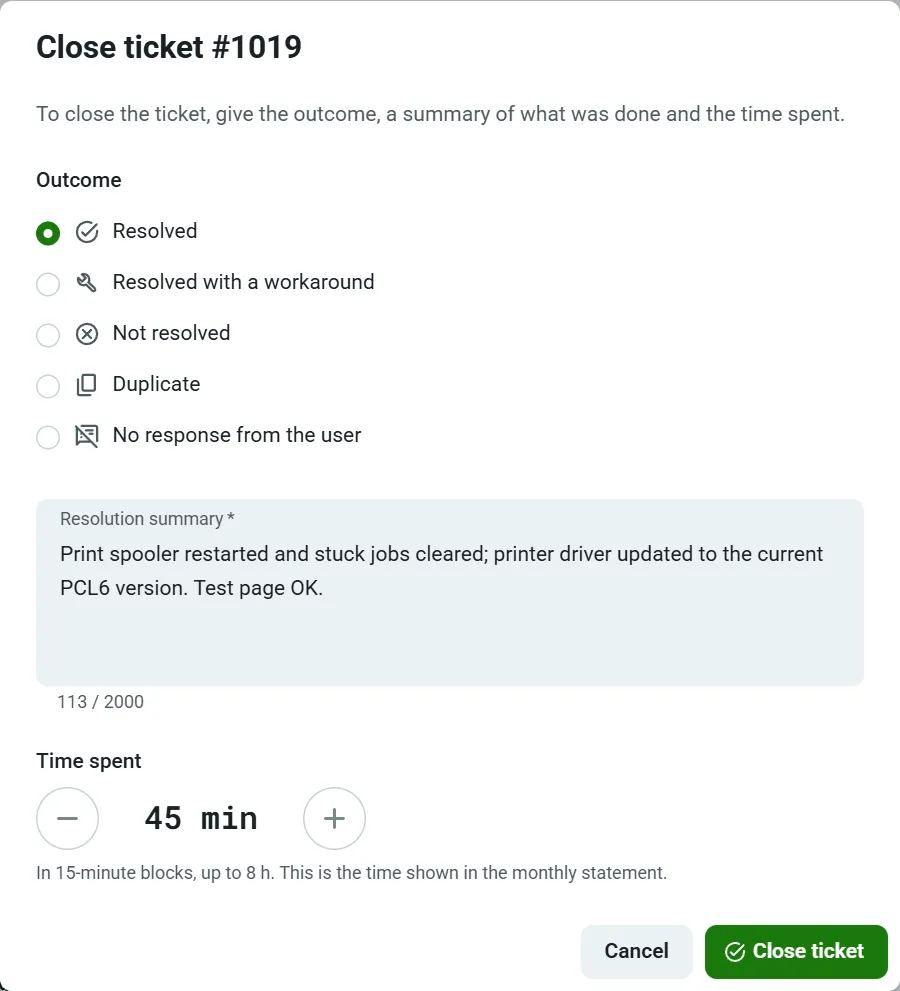
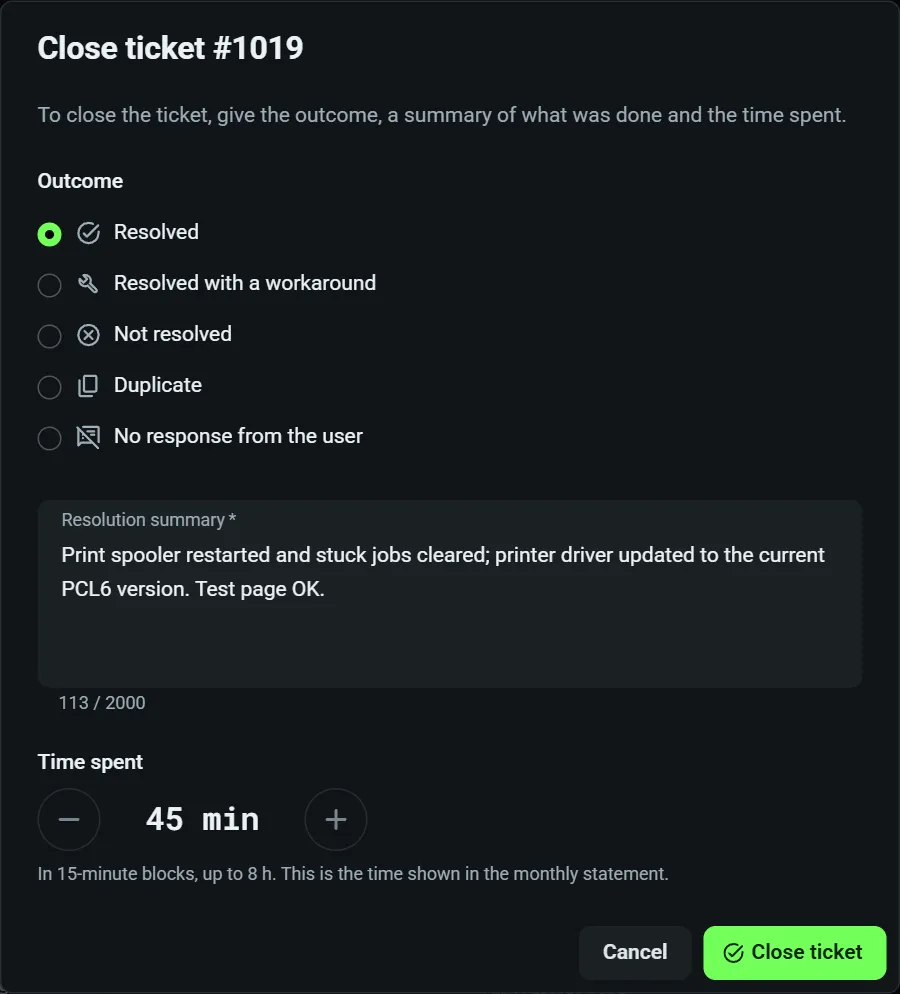
When closing, the technician records the outcome, a summary and the time spent in 15-minute blocks — the basis of the statement and the invoice.
ISSupport — InfoSolutions Ltd.
Rui Matos replied to your ticket #1041
I've updated the printer driver. Could you try printing a test page?
Open a support ticketCheck for updates
^ISIS10:42
ISYour company's logoCritical alert on this PCUnread technician reply
Left, the agent window on the client's PC; right, the same kind of ticket in the portal.
3.7 · Monthly report & statements
Every month, a report that justifies your fee.
For each client and each month, MorDitor prepares a PDF report with your company's logo and name, ready to send. The client sees the state of their machines, what was done and what you recommend doing next.
Executive summary: machines, server availability, alerts, tickets and total time spent.
Automatic recommendations: failing disk, low space, overdue updates, security to review, worn SSD, Windows out of support.
Status of every machine and the month's top alerts, with the support tickets and the summary of each resolution.
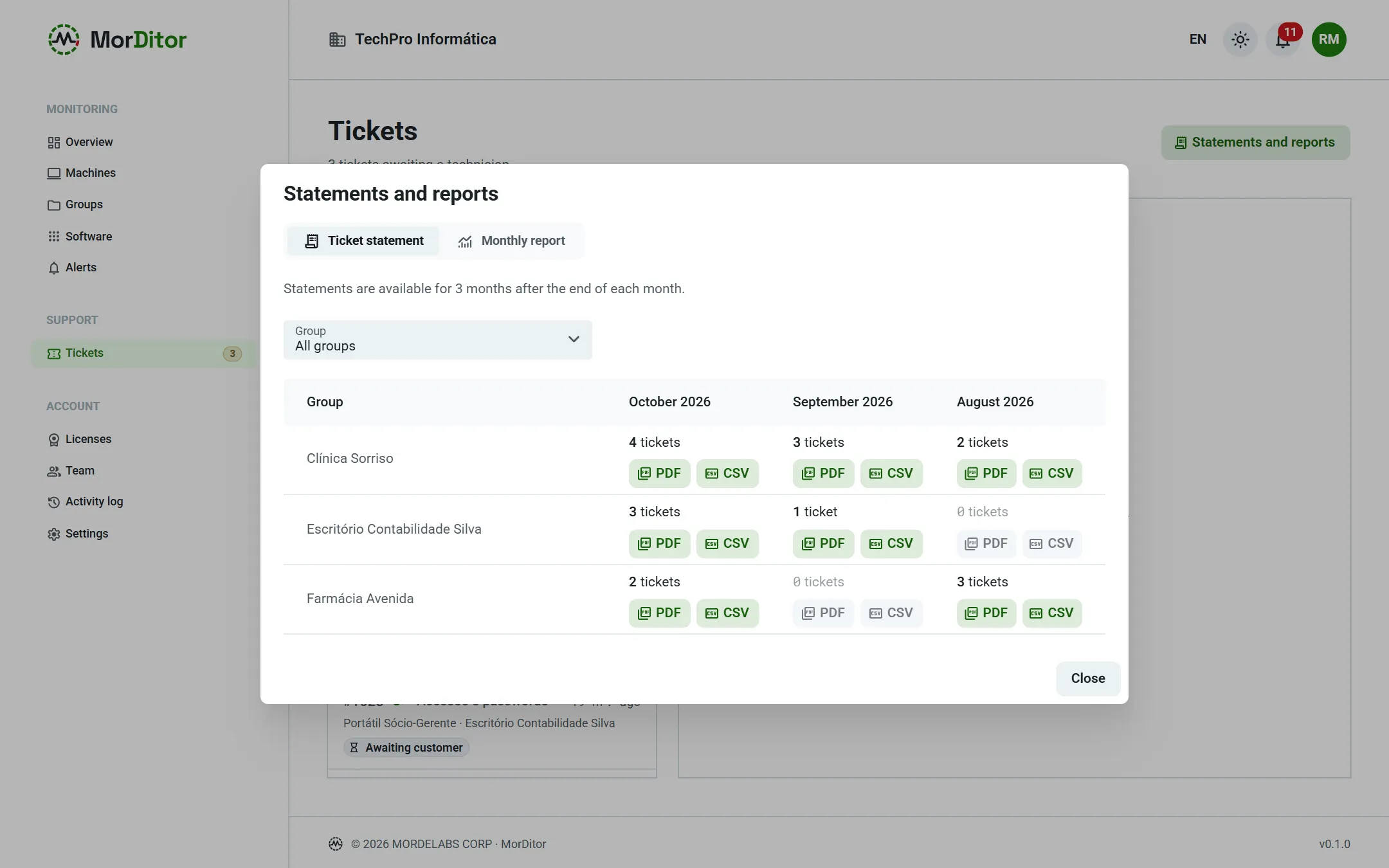
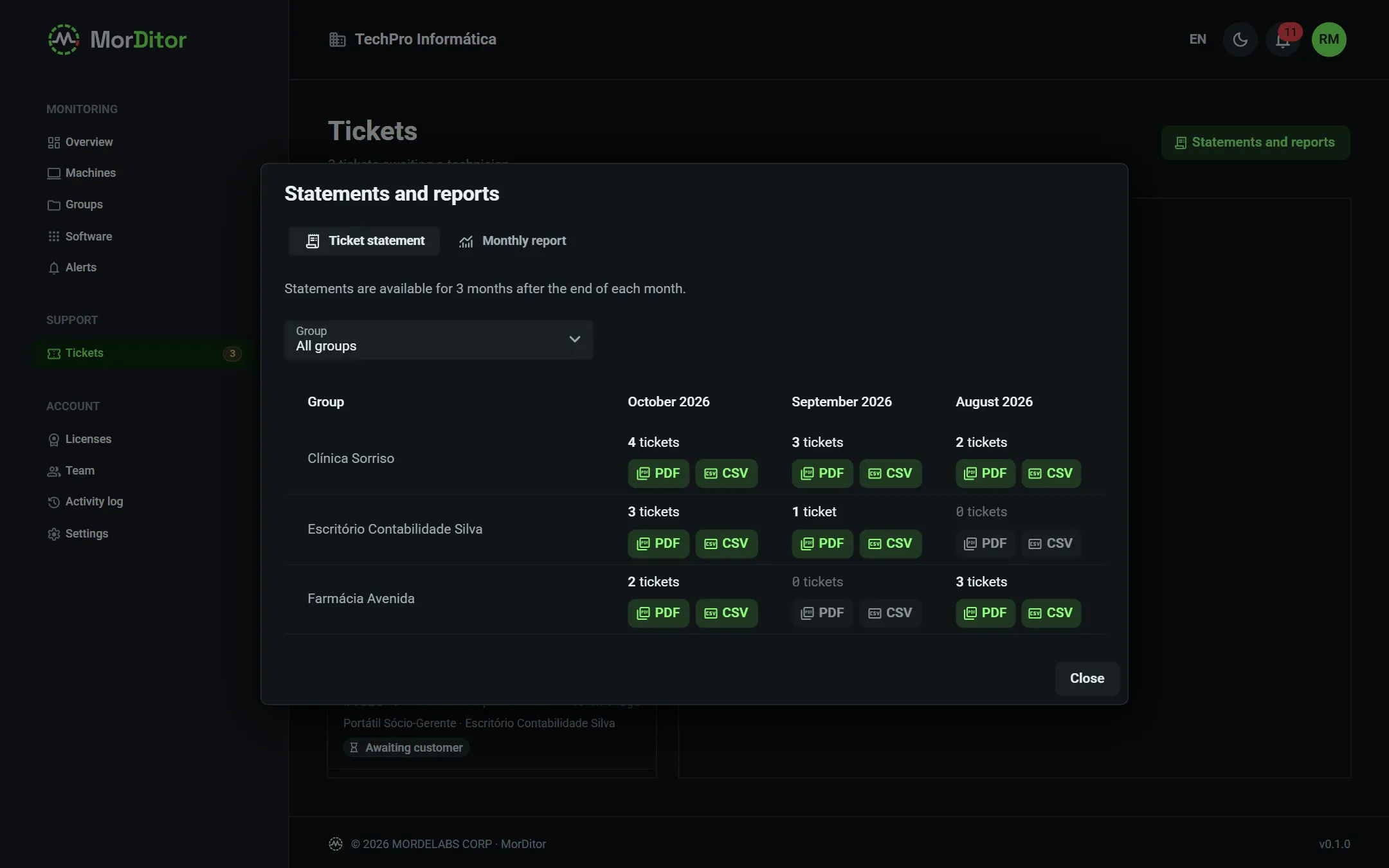
Ticket statement as PDF and CSV, with the time spent, for invoicing. Available for the last three months.
A client's monthly report, statements per client and closing a ticket with the time spent.
3.8 · Installation · Windows & Linux
Install on one machine or a hundred the same way.
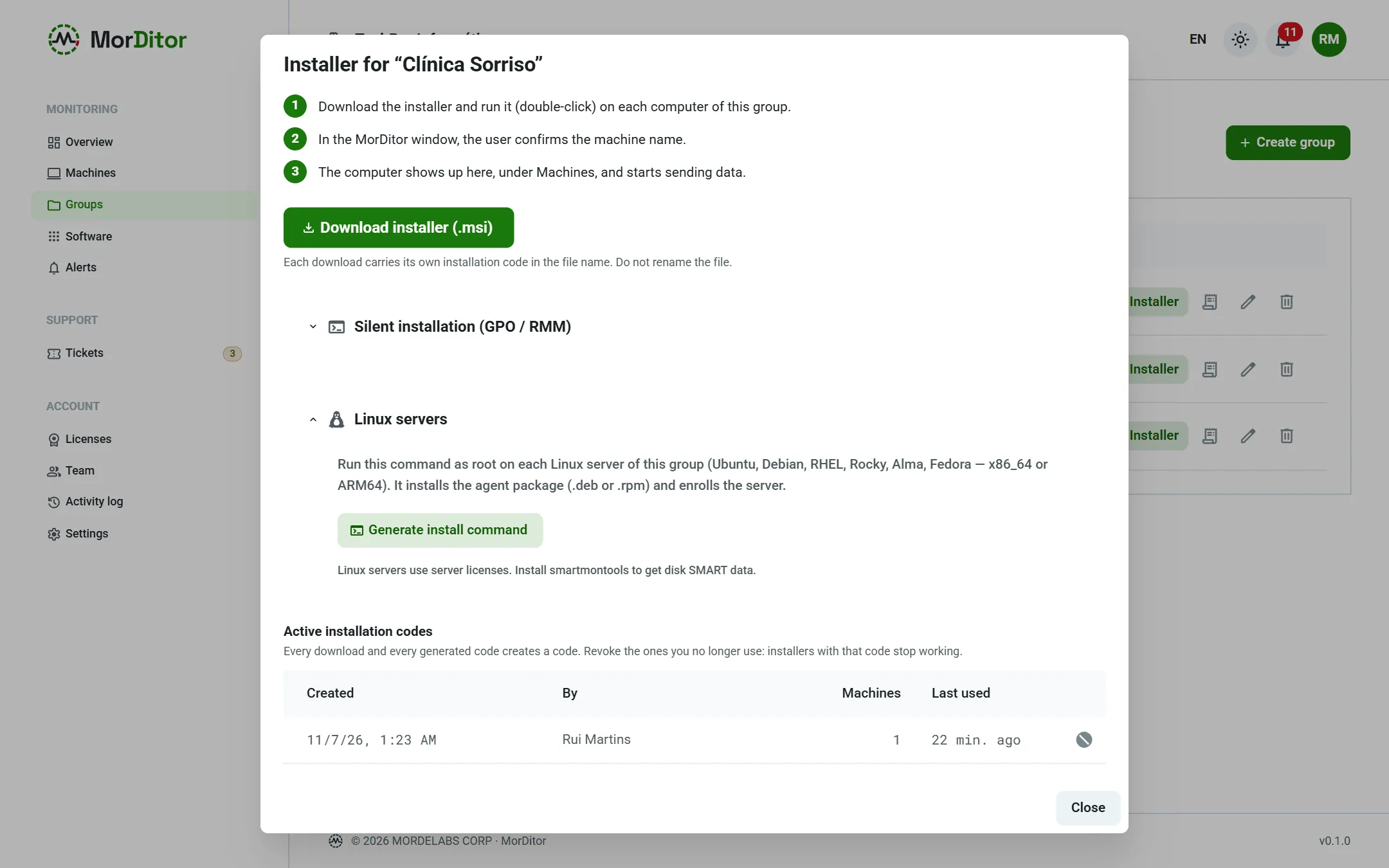
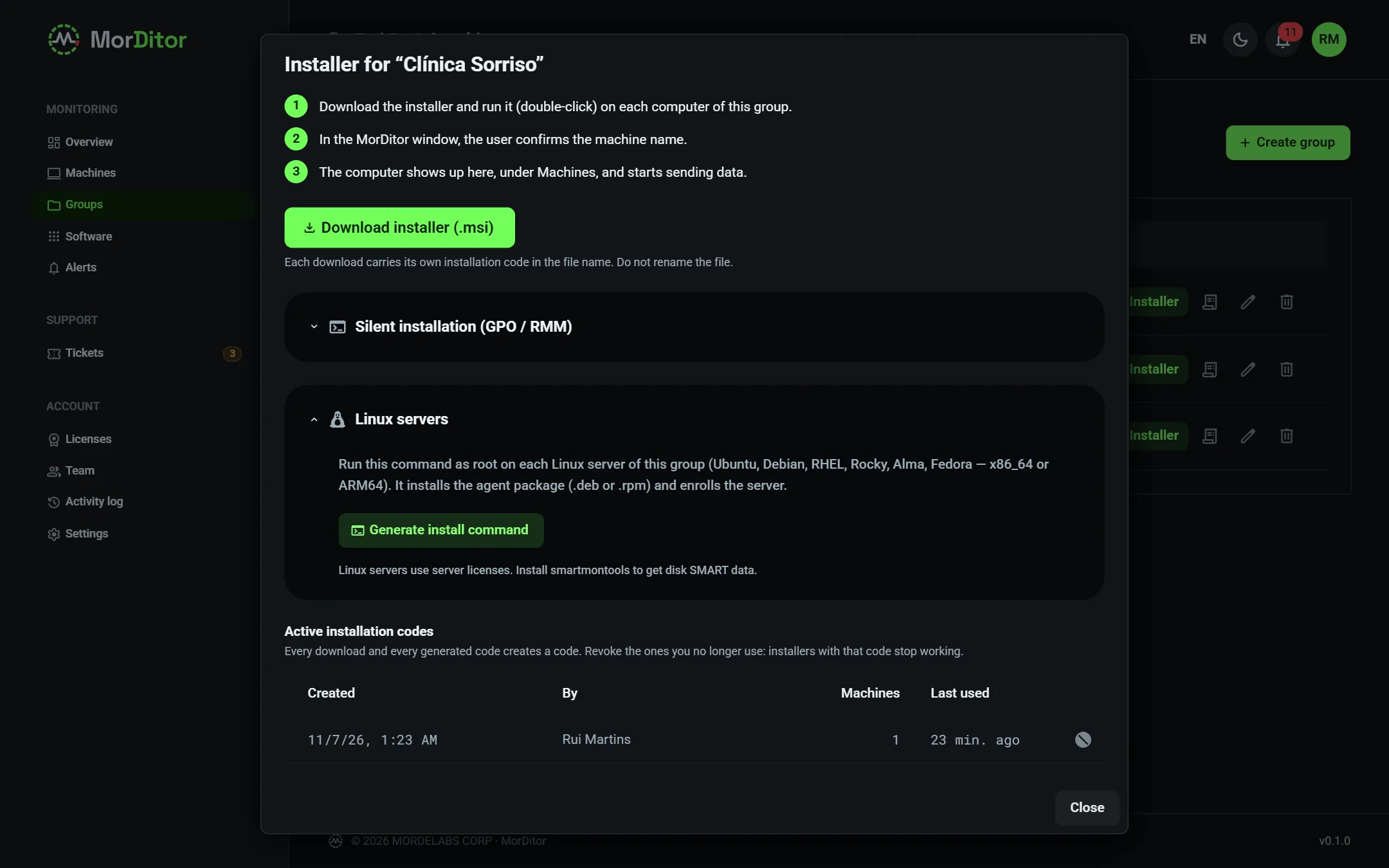
On Windows, download the client's installer or push the same MSI through GPO or your RMM tool. On Linux servers, a single command as root is enough.
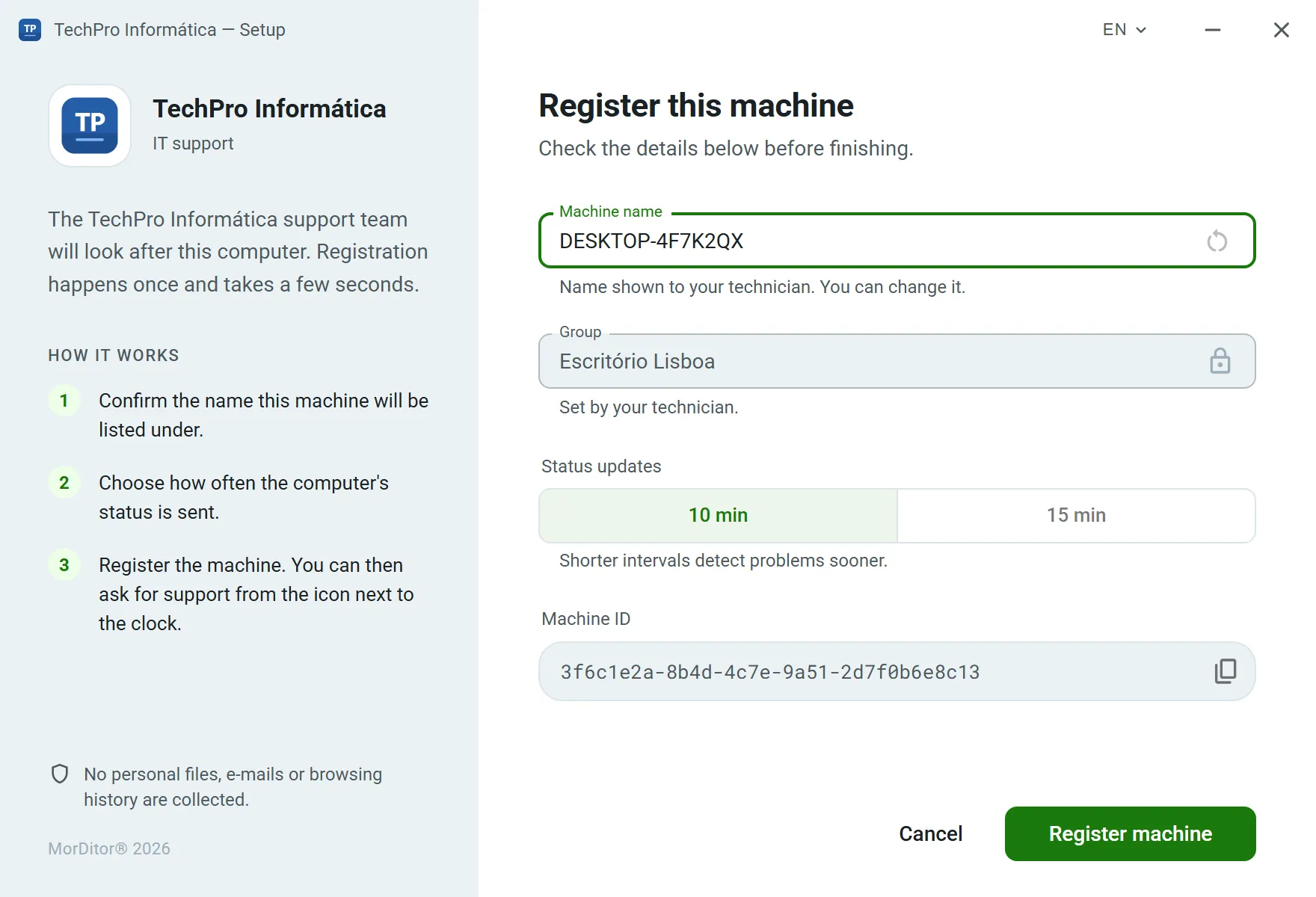
Per-client installer: the machine lands straight in the right group.
Silent install: msiexec with ENROLLTOKEN and /qn.
Linux: the script detects the architecture and package format (.deb or .rpm), installs the package and enrolls the server.
Uninstall protection on Windows: it needs a code specific to each machine, visible only to those allowed to see it.
When you remove a machine in the portal, the agent shuts itself down, following a cryptographically signed instruction.
The client's installer in the portal and the enrollment window the user sees on first start.
3.9 · Multi-client & team
One account for your company, one space per client.
Organize machines by client and give each technician the access they need. Everything that happens is logged.
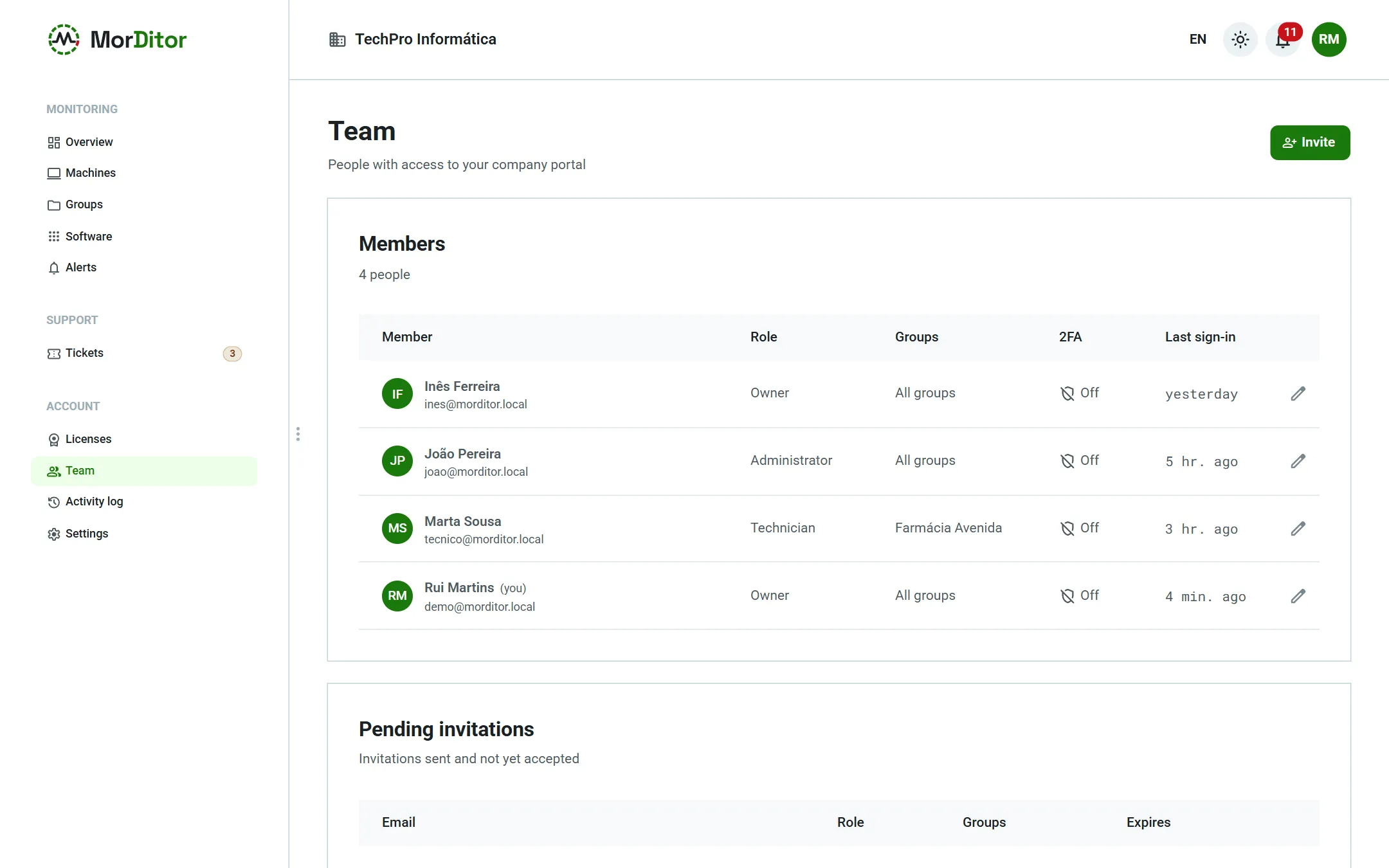
Groups = client companies, each with its own alerts, watched services, installers, statements and reports.
Technicians with access to every client or only some.
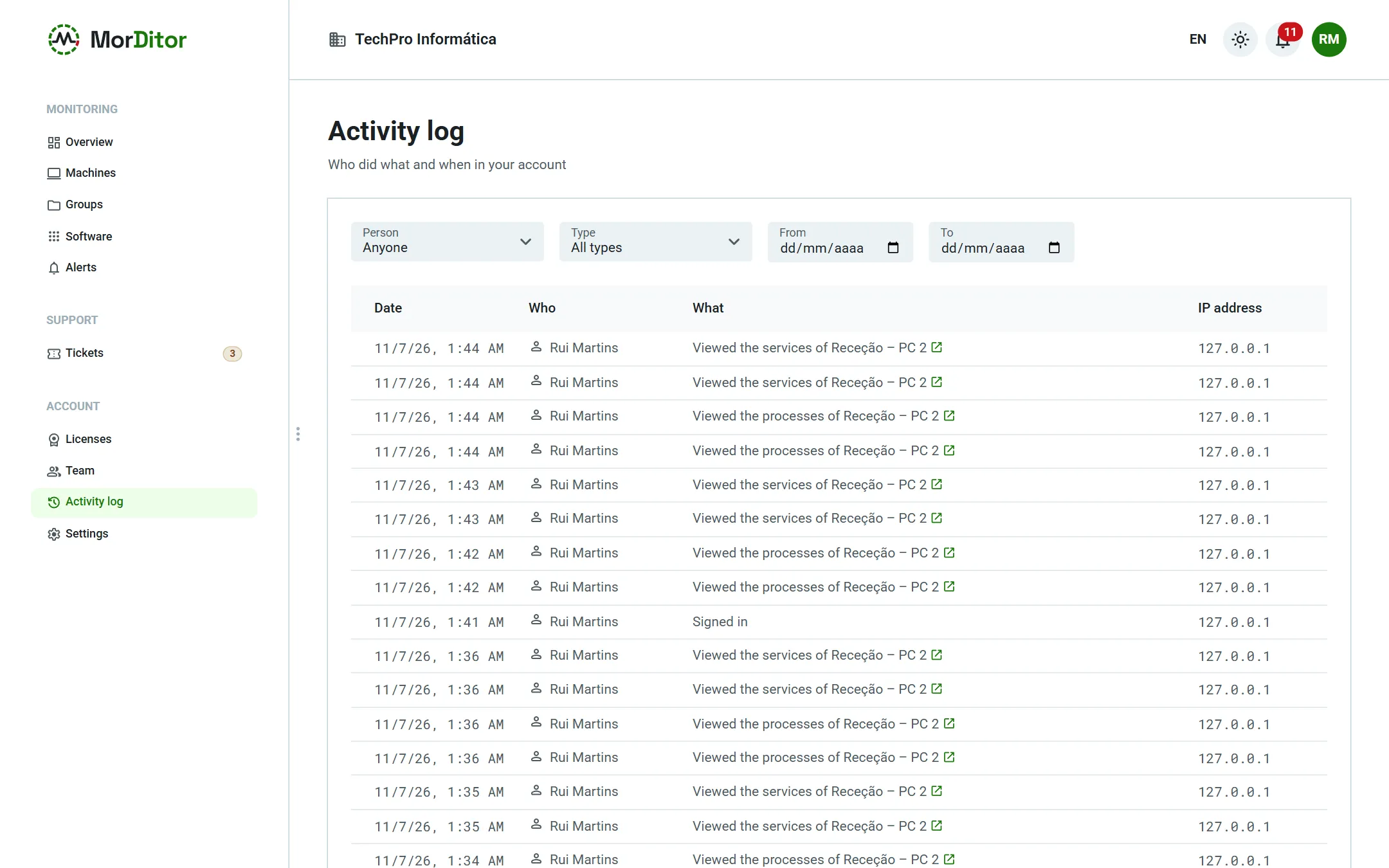
Complete activity log — who did what, when and from which IP — and two-factor authentication (TOTP).
Owner, admin and technician roles, each with the right permissions.
Account activity log and team with per-client access.
04How it works
Three steps to your first alert.
01
Create your account and clients
Register your company, upload your logo and create one group per client. Once MORDELABS approves the sign-up, you get 10 trial licenses for 15 days.
02
Install the agent
Download the client's installer, push it silently through GPO or RMM, or use the one-line command on Linux servers. The machine shows up in the portal within seconds.
msiexec /i MorDitor-Setup.msi ENROLLTOKEN=… /qn
03
Watch, act and report
Get critical alerts on your phone, fix things in real time, answer tickets and send each client the report for the month.
05Security & privacy
An agent on every one of your clients' PCs takes trust. We take that seriously.
MorDitor collects technical data: hardware, disks, network, updates, installed programs, security state and selected Windows security events. It does not collect personal files, e-mails, browsing history, keystrokes or screen images.
Hosted in the European Union
Servers and data in the EU, designed with the GDPR in mind: minimal collection and a clear purpose. Telemetry is deleted automatically after 90 days.
Encrypted communication
Everything goes over HTTPS. Each agent has its own secret, stored under operating-system protection, and signs every request it sends.
No arbitrary execution
Remote actions are a closed list (processes, services, power), validated in the portal and in the agent. Only owners and admins can use them.
Signed updates and removal
Automatic updates are signed and verified before they are installed. The agent only shuts itself down on an instruction signed by the platform — network errors never trigger it.
Two-factor authentication
TOTP 2FA for the whole team, passwords stored with argon2id and lockout after failed attempts.
Activity log
Changes, remote actions, protection-code views and report downloads: who did what, when and from which IP address.
06Pricing
Cheap enough to include in every contract.
One license per monitored machine, for 1 or 3 years. The more machines you have, the lower the price per workstation. Every feature is included; only future modules will be priced separately.
10 trial licenses for 15 days
Create your account and, once MORDELABS approves it, get 10 trial licenses for 15 days, for workstations or servers, with every feature. There is no permanent free plan.
Licenses for workstations or for servers (Windows Server and Linux).
02
1 or 3 years
One payment per term, no monthly bills. The 3-year license is 10 % off.
03
Volume tiers
The workstation price depends on the total of active licenses in your account, servers included.
04
Effortless renewals
A renewal extends the same licenses: machines stay where they are, with their history, with nothing to reinstall.
Workstation: price per machine
Tier
1 year
3 years (−10 %)
1–49 machines
€12.00
€32.40
50–249 machines
€10.00
€27.00
250 or more machines
€8.28
€22.35
Servers: €5.00/month per server (€60.00 per year; €162.00 for 3 years), no volume tiers.
Future modules: priced separately.
Prices in euros, excluding VAT. For the 3-year license, the figure is the total for the 3 years. Companies in other EU countries with a VAT number valid in VIES: reverse charge, no Portuguese VAT.
Resell with a margin
If you include monitoring in your client's contract at €4.00 per PC/month, MorDitor costs you between €0.69 and €1.00: you keep a 75–83 % margin. Your client only sees your brand.
Illustrative example; the resale price is yours to set.
07Roadmap
What's next.
Planned modules, priced separately. They are not available yet — we'll announce them here when they are.
Planned
Backup monitoring
Status of backup jobs from the most widely used solutions, with an alert when a backup fails or does not run.
Planned
Windows events
Collection and filtering of more Event Viewer events, beyond the security events already included.
Planned
Scripts
Push scripts to many machines, with signed jobs, an activity log and 2FA approval.
Planned
Patch management
Approve and install Windows updates and Linux packages from the portal, per client and per maintenance window.
08Frequently asked questions
Questions IT companies ask us.
Which operating systems are supported?
Windows 10 and Windows 11 (64-bit), Windows Server 2016 or later, and Linux servers. Systems that are past vendor support are still monitored and are flagged on the dashboard.
How does it work on Linux servers?
Ubuntu, Debian, Red Hat, Rocky, AlmaLinux, Fedora and other systemd distributions, on x86_64 or ARM64. It installs with a single command as root, which picks the right package format (.deb or .rpm). It collects CPU, memory, disks and S.M.A.R.T. (with smartmontools), pending updates, reboot required, failed services, firewall and SELinux/AppArmor. Linux servers use server licenses and have no icon or windows.
What can I do in real time?
With the machine connected: view live processes and end a process, start, stop and restart Windows services or systemd units, and reboot or shut down the machine, now or after a delay (and cancel it). Critical system processes and services are protected. Only owners and admins can act, and every action goes into the activity log. Arbitrary commands cannot be run.
What does my client see?
On Windows, an icon by the clock with your company's logo, the enrollment window during installation and the support ticket windows — all with your company's name and logo; MorDitor only appears as a discreet “MorDitor®” credit with the year. The monthly report and the statements carry your brand too. Your client has no access to the portal.
Does the agent slow computers down?
The agent is a service plus a small icon by the clock. It reports every 10 or 15 minutes and immediately when a threshold is crossed; the heavier tasks — the update search and the program list — only run every 4 and 6 hours.
What happens if the machine loses its internet connection?
The agent keeps collecting data and stores it locally for up to 30 days. When the connection is back, it sends everything in the right order. On a server, a missing report raises a critical alert after the delay you set.
What data is collected from the computers?
Technical data: hardware, disks and S.M.A.R.T., network, updates, installed programs, security state (firewall, BitLocker, antivirus, UAC, local administrators), the names of signed-in users and selected security events — for example the source IPs and account names used in failed sign-in attempts. No personal files, e-mails, browsing history, keystrokes or screen images are collected. The process list is only read when a technician opens it, and it is not stored.
Where is the data kept?
On servers in the European Union. Telemetry, events and software history are deleted automatically after 90 days.
How do licenses work?
One license per machine, for 1 or 3 years (3 years at 10 % off), for a workstation or a server. Once used, it is tied to that client; if you retire a PC, you can reuse it on another machine of the same client.
How do renewals work?
A renewal extends the same licenses by another 1 or 3 years, starting from the end of the current term if you renew early. Machines stay where they are, with their full history, with nothing to reinstall. If a license expires, the machine is blocked in the portal until it is renewed.
Is there a trial or a free plan?
Every new account, once approved by MORDELABS (you get an e-mail), gets 10 trial licenses for 15 days, for workstations or servers, with every feature. There is no permanent free plan: at the end, you buy licenses and move the machines onto them in the portal, with nothing to reinstall.
Do prices include VAT? What about companies in other EU countries?
Prices exclude VAT. Companies in Portugal pay VAT at the applicable rate. Companies in other EU countries with a VAT number valid in VIES are invoiced under the reverse charge, with no Portuguese VAT. Outside the EU, invoices carry no Portuguese VAT either.
What about disks behind RAID or USB adapters?
When the controller does not let us read S.M.A.R.T., the disk shows as “not supported”. You still see its usage and fill forecast, but we don't show health values we cannot measure.
Does MorDitor do remote control?
It has no remote control of its own. On each machine you can save its RustDesk, AnyDesk or TeamViewer ID, and the “Connect remotely” button opens your tool with that ID.
Can a user uninstall the agent?
On Windows, not without that machine's protection code, which only appears in the portal to those allowed to see it — and every time the code is viewed, it is logged.
Can I install on many machines at once?
Yes. Push the same MSI through GPO or your RMM tool: msiexec /i MorDitor-Setup.msi ENROLLTOKEN=… /qn. Each installation code belongs to one client and can be revoked.
Which languages does MorDitor support?
English and Portuguese — portal, mobile app, agent, e-mails and reports — with light and dark themes.
Start with the clients that worry you most.
Create your account, install the agent on up to 10 machines for 15 days and see what they have to tell you — and the report you can send your client at the end of the month.